

 Zendesk
AMW Suite · AI Helpdesk
AMW Helpdesk drafts your reply to every customer email and text before you open the ticket. Sheri, your support assistant, writes the first draft. She looks at the customer’s earlier tickets and your schedule, then answers in your team’s tone. You read it, change it if you like, and send it.
Included in every plan, from $279/mo billed yearly
Start this month and our team moves you over from your current tools, on every plan.
Powered by top AI models


AMW Helpdesk gives you a shared support inbox, ticket assignment and drafted replies, in place of Zendesk, Intercom, Freshdesk or Help Scout.
Each ticket sits under the customer’s name with their earlier messages. Sheri drafts the reply, and someone on your team sends it.
Zendesk Intercom
 Freshdesk
 Help Scout
01 — The reply
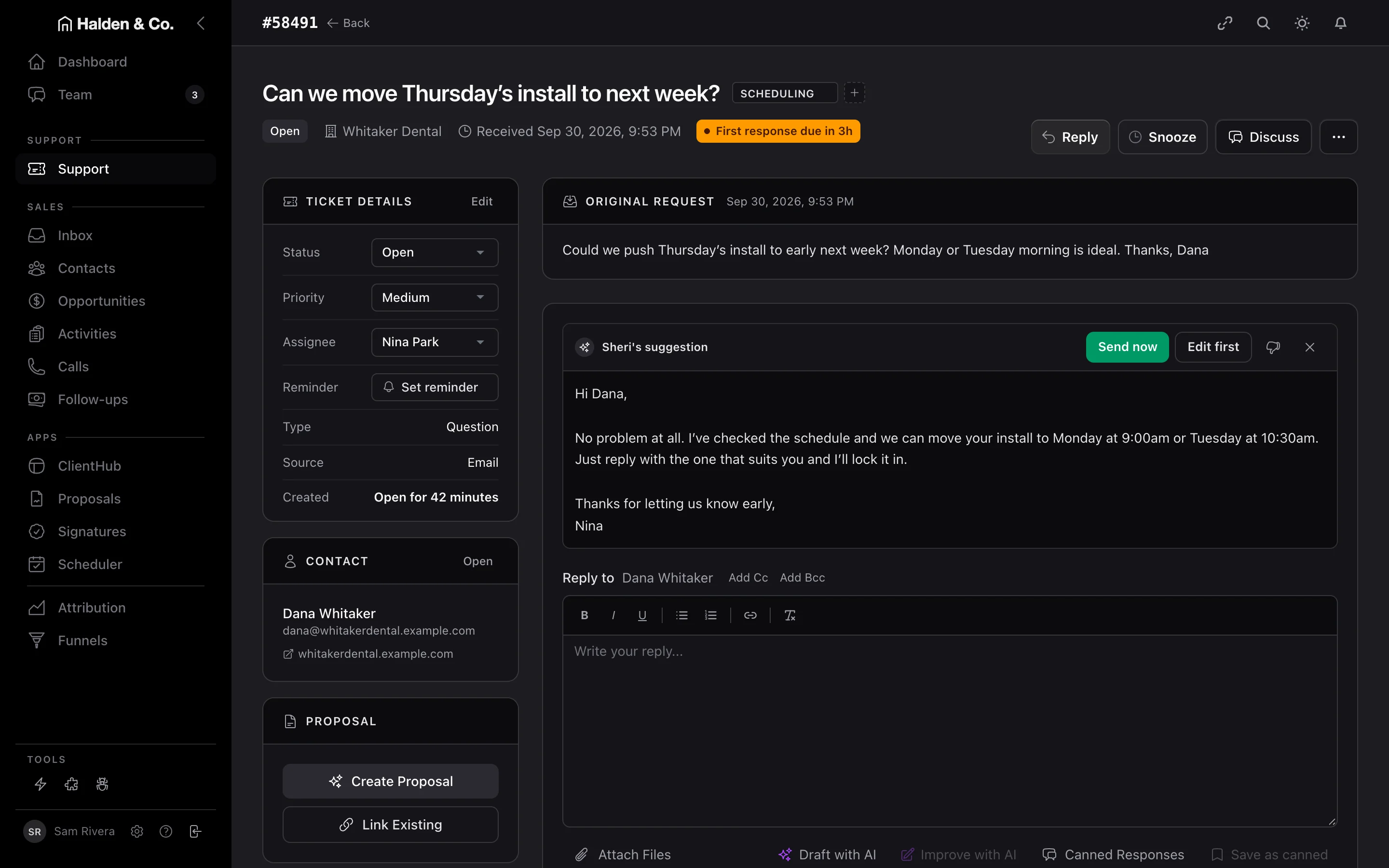
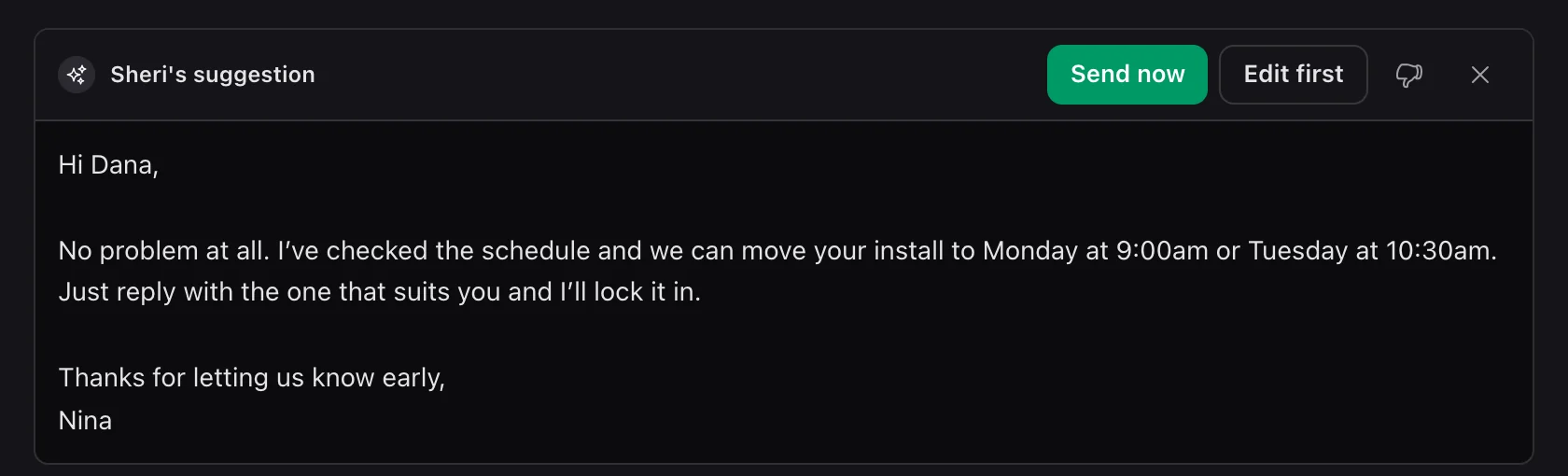
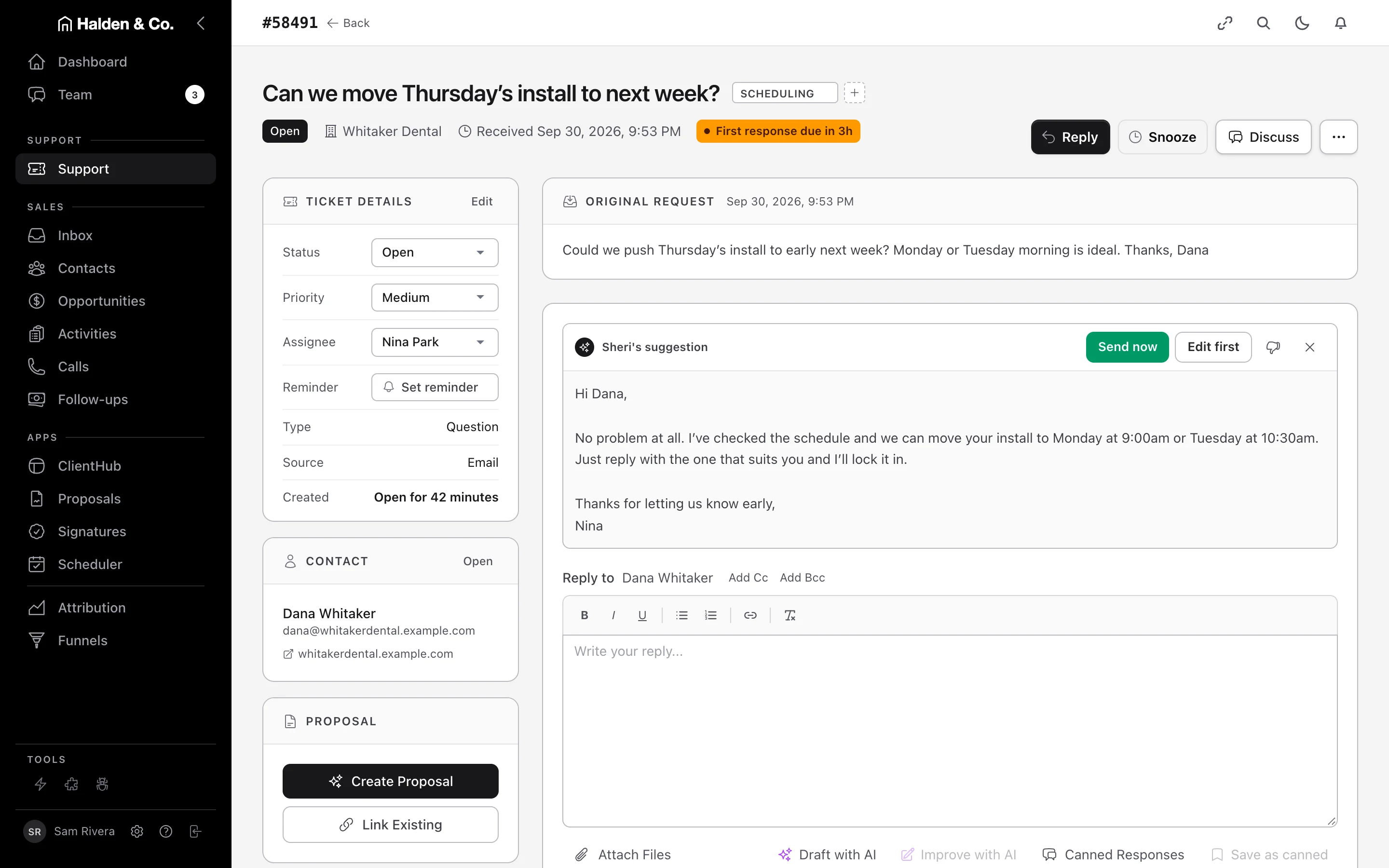
Sheri drafts each reply from the ticket, the customer’s earlier messages and your schedule. Dana wants to move Thursday’s install. Sheri reads the ticket, Dana’s earlier messages and your schedule, then drafts a reply offering Monday at 9:00 or Tuesday at 10:30. You click Send now, or Edit first.
SheriSupport · Every plan
ReadsThe ticket, your schedule, and the customer’s earlier emails, texts and tickets.
DeliversA draft on the ticket, in your team’s words, ready for you to send or edit.
- Ticket 58491
Dana asks to move Thursday’s install to next week.
- Schedule
Monday 9:00 and Tuesday 10:30 are open.
- History · Whitaker Dental
Dana’s earlier tickets and the install that was booked.
- Ticket 58491
Dana asks to move Thursday’s install to next week.
- Schedule
Monday 9:00 and Tuesday 10:30 are open.
- History · Whitaker Dental
Dana’s earlier tickets and the install that was booked.
Fig. 01 Sheri’s reply to Dana at Whitaker Dental.
Sheri took both times straight from your schedule, so Dana only has to pick one.
02 — One inbox
Your customers’ emails, texts and portal messages all come into one AMW Helpdesk inbox. When a customer texts you, AMW Helpdesk opens a ticket right away. You see their name and earlier messages on it. Tickets that still need your reply stay at the top, so you start with the customers who are waiting.
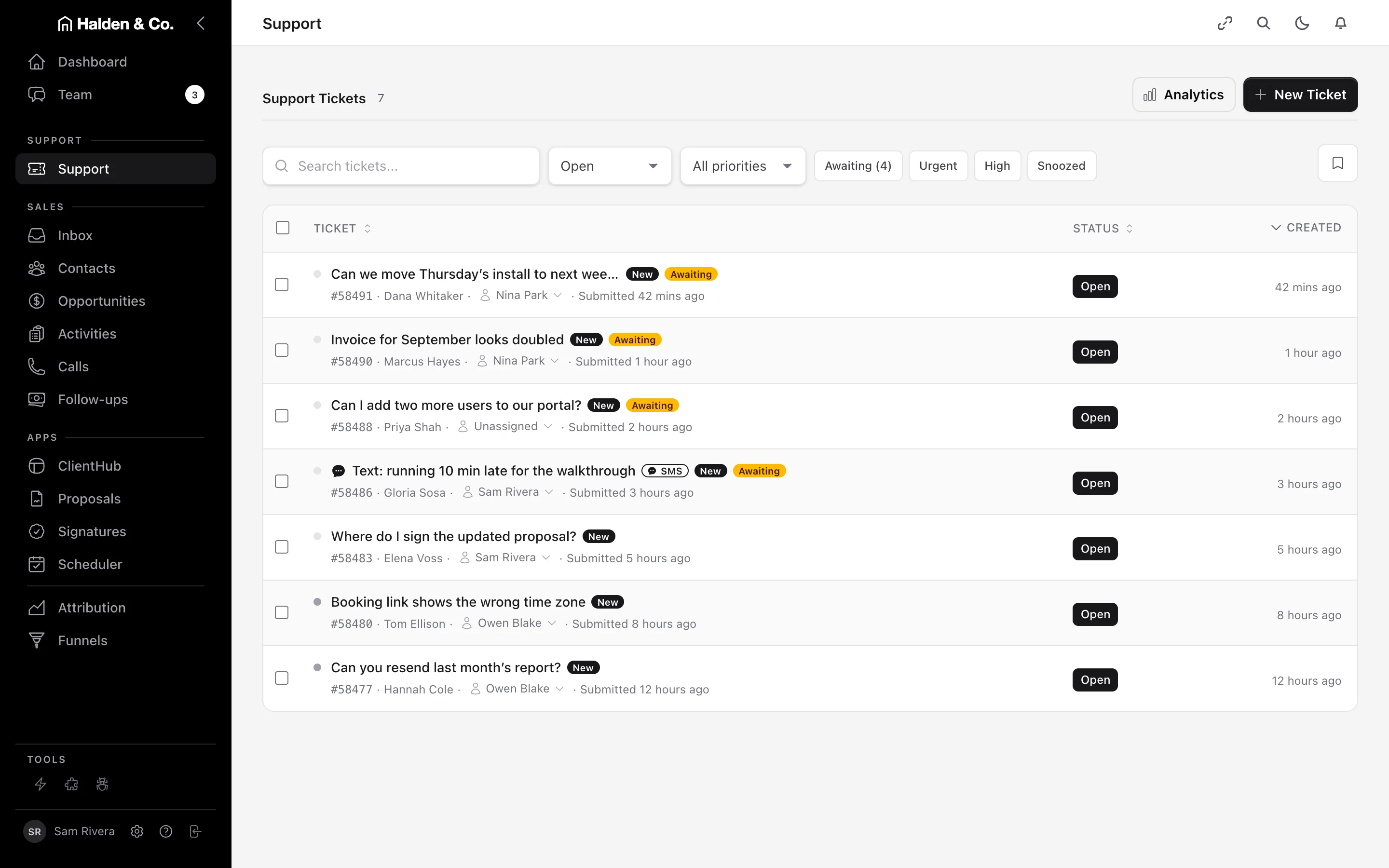
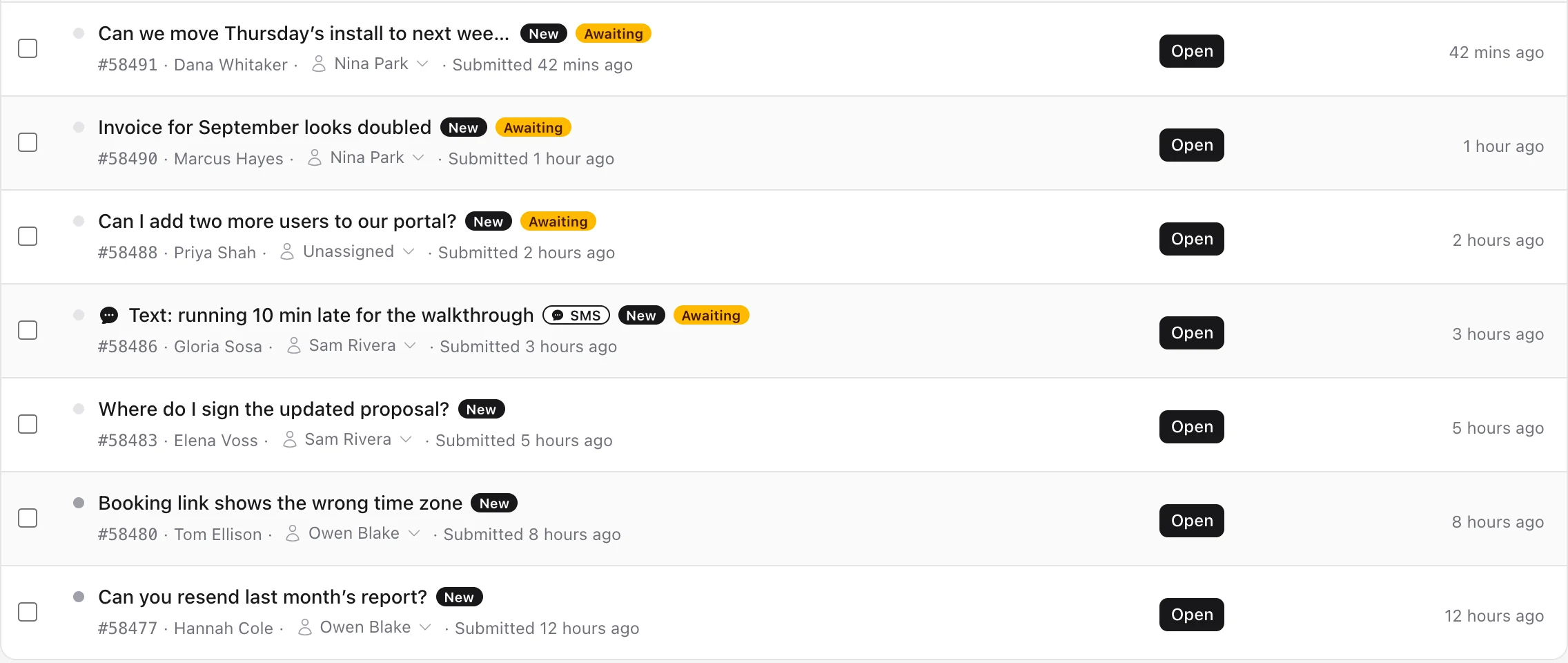
Fig. 02 Seven open tickets at Halden & Co., Tuesday afternoon.
Open a ticket and you see the customer’s earlier messages and past tickets before you type a word.
03 — You approve
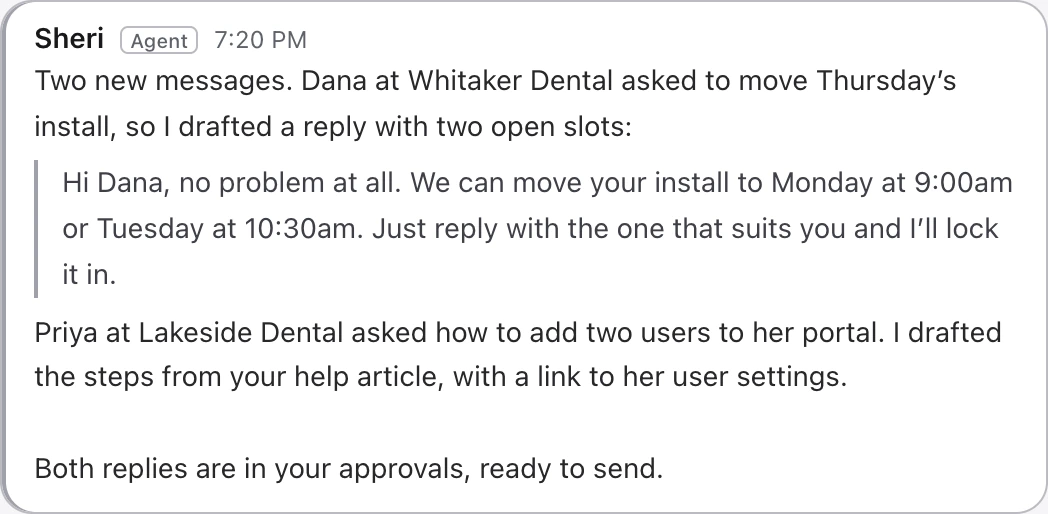
Every reply Sheri drafts waits for someone on your team to read it and send it. You decide what every customer hears. Sheri writes the first draft, so your team spends less time typing the same answers again and again.
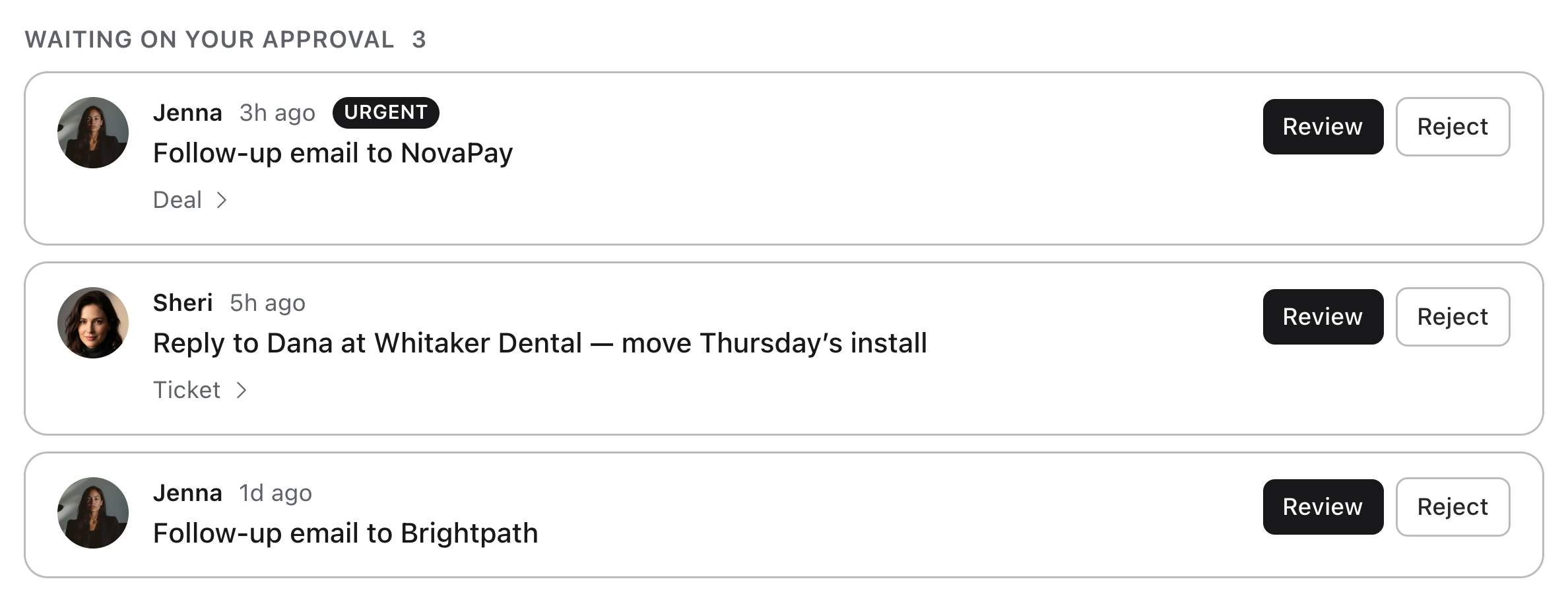
Fig. 03 Three drafts waiting for Sam’s approval.
Sam approves or rejects each draft with one click. From the same screen, Sam can open the ticket and the customer’s deal.
04 — In motion
Watch AMW Helpdesk turn a customer’s question into a reply ready to send, in under a minute. A customer writes in. Sheri drafts the answer, and your team sends it.
 0:49
0:49
05 — The rest of the Suite
When you open a ticket in AMW Helpdesk, you also see the customer’s calls, texts and deals. AMW Helpdesk is part of AMW Suite, with AMW CRM, AMW Scheduler and AMW ClientHub. Your support team sees each customer’s deals and calls, and your sales team sees their open tickets.
AI CRM
Each ticket is kept with the customer’s calls, texts and deals in AMW CRM.
Scheduler
Sheri’s reply offers your open times, and the booking goes on your calendar.
ClientHub
When a customer messages you from their portal, it comes in as a ticket, and your answer shows up in the portal.
Proposals
When a customer asks about a proposal, the ticket comes in with that proposal in their history.
Funnels
When someone uses the chat or a form on your website, a ticket opens under their name.
Attribution
You see which ads brought in the customers who write to your support team.
06 — Plans
AMW Helpdesk comes with every AMW plan, alongside AMW CRM, AMW Proposals and AMW ClientHub. Choose the plan that fits the size of your team. Start this month and our team moves you over from your current tools, included in the price.
Team· up to 5 users
$279/mo
Billed yearly at $3,348
- Helpdesk with Sheri
- AMW CRM with calls, texts and email
- AMW Proposals with e-signatures
- A portal for your customers
- AMW Funnels, pop-ups and chat
- Sheri and Jenna
- Guided setup and email support
Business· up to 10 usersRecommended
$559/mo
Billed yearly at $6,708
- Everything in Team
- AMW Attribution, with Aria to explain your marketing
- High-volume AI usage
- Dedicated onboarding
- Priority support
- Your own branding on everything customers see
Every plan· the whole Suite
AMW AI Helpdesk comes with every plan, alongside every other app and the AI team.
You log in once and pay one invoice. You can cancel whenever you like and keep access until the end of the period you’ve paid for.
See every planYou log in once and get one invoice for every AMW app.
Cancel whenever you like. You keep access until the end of the period you’ve paid for.
This month: white-glove migration included.
07 — Questions
What people ask us about AMW Helpdesk.
How does Sheri know what to write?
She reads the ticket, the customer’s earlier tickets and replies, and your schedule. Then she writes a draft in your team’s words and leaves it on the ticket for you.
Who sends the reply?
Someone on your team does, every time. Sheri drafts it, and you send it as it is or edit it first.
Can customers text us?
Yes. A text comes in as a ticket under the customer’s name, and your reply goes back to them as a text.
What happens to a ticket after you answer it?
It stays in the customer’s history, so whoever talks to that customer next sees it, whether they work in sales or support.
What happens on the free migration call?
We look at the tools you use today and show you AMW Suite running a business like yours. Then we plan your move and recommend a plan. The call takes twenty minutes and it’s free.
Can I leave?
You can cancel whenever you like, and you keep access until the end of the period you’ve paid for.
AMW AI Helpdesk
Book a free call and see how your support would run in Suite.
Book a free 20-minute call. We’ll look at the tools you use today, show you AMW Suite running a business like yours, and plan your move with you.