

 Calendly
AMW Suite · Scheduler
Your customers book their own calls from one AMW Scheduler link, and you walk into each one prepared. They pick a time that suits them. AMW Scheduler saves the call and their note in AMW CRM, and can text them a reminder. Jenna, your AI sales assistant, writes your prep notes. Book a free call, and we’ll connect your calendar for you.
Included in every plan, from $279/mo billed yearly
Start this month and our team moves you over from your current tools, on every plan.
Powered by top AI models



01 — On your list
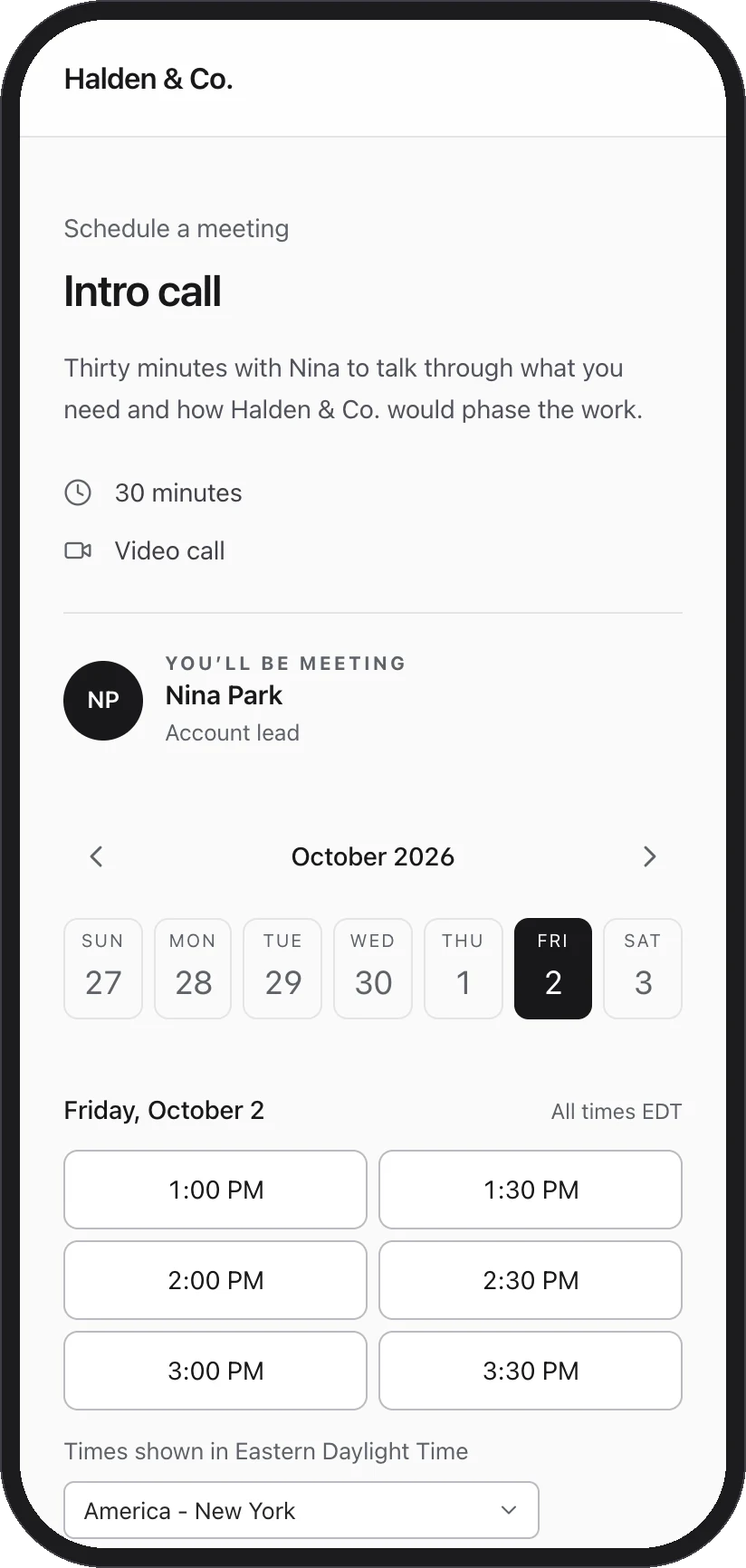
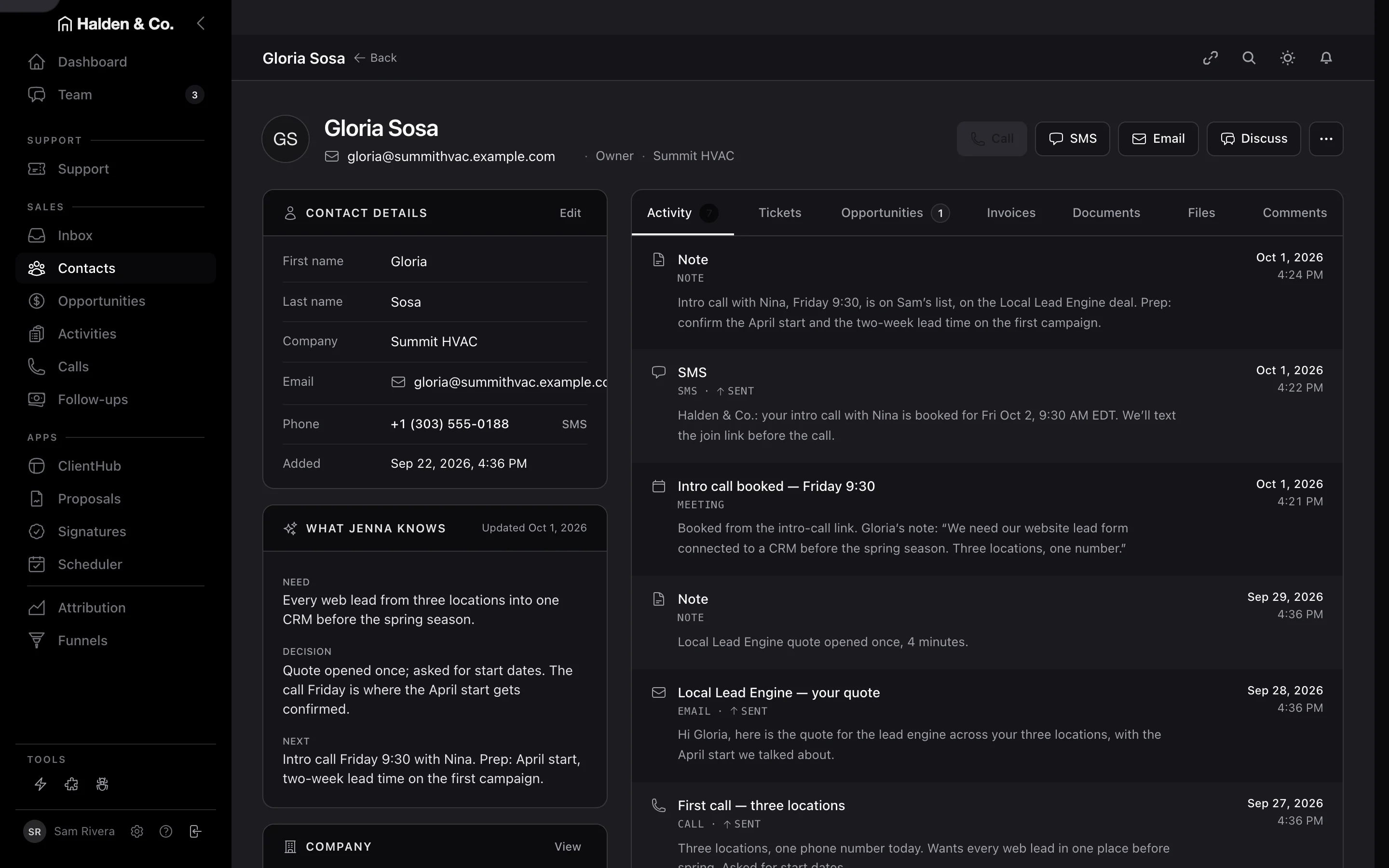
When a customer books in AMW Scheduler, Jenna adds the call to your list with prep notes. Gloria booked at 4:09. By 4:12, AMW Scheduler saved the call and her note in AMW CRM and texted her a reminder. Jenna added the call to Sam’s list with a note: confirm the April start.
JennaSales · Every plan
ReadsThe booking, the customer’s history in AMW CRM, and the deal the call is about.
DeliversThe call on your list, with prep notes based on the customer’s history.
- 4:09 pm · Booked
Gloria booked an intro call with Nina for Friday at 9:30, and left a note with her booking.
- 4:10 pm · Reminder sent
AMW Scheduler texted Gloria the date and time, and said the join link would follow.
- 4:12 pm · On Sam’s list
Jenna read Gloria’s history and wrote Sam a prep note: confirm the April start and the two-week lead time.

- 4:09 pm · Booked
Gloria booked an intro call with Nina for Friday at 9:30, and left a note with her booking.
- 4:10 pm · Reminder sent
AMW Scheduler texted Gloria the date and time, and said the join link would follow.
- 4:12 pm · On Sam’s list
Jenna read Gloria’s history and wrote Sam a prep note: confirm the April start and the two-week lead time.
Fig. 01 Jenna confirms Gloria’s call is on Sam’s list.
In the three minutes after Gloria booked, AMW Scheduler saved the call and texted her a reminder. Jenna wrote Sam’s prep note. Your team kept working.
02 — Confirmed
The moment your customer books in AMW Scheduler, they see the time and the join link on the confirmation page. Gloria adds the call to her calendar in one click. If her plans change, she can reschedule or cancel from the same page. AMW CRM shows the change right away.
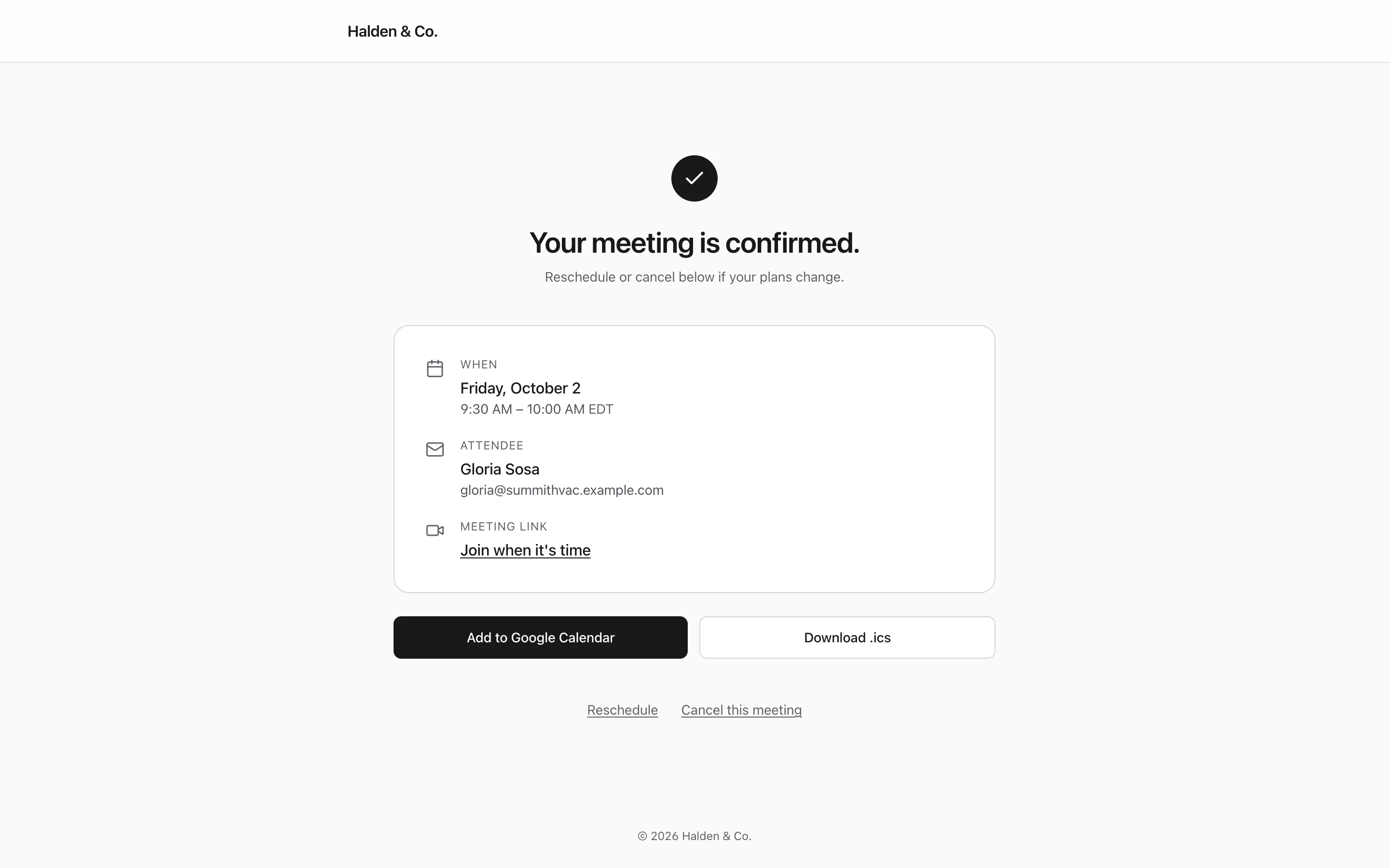
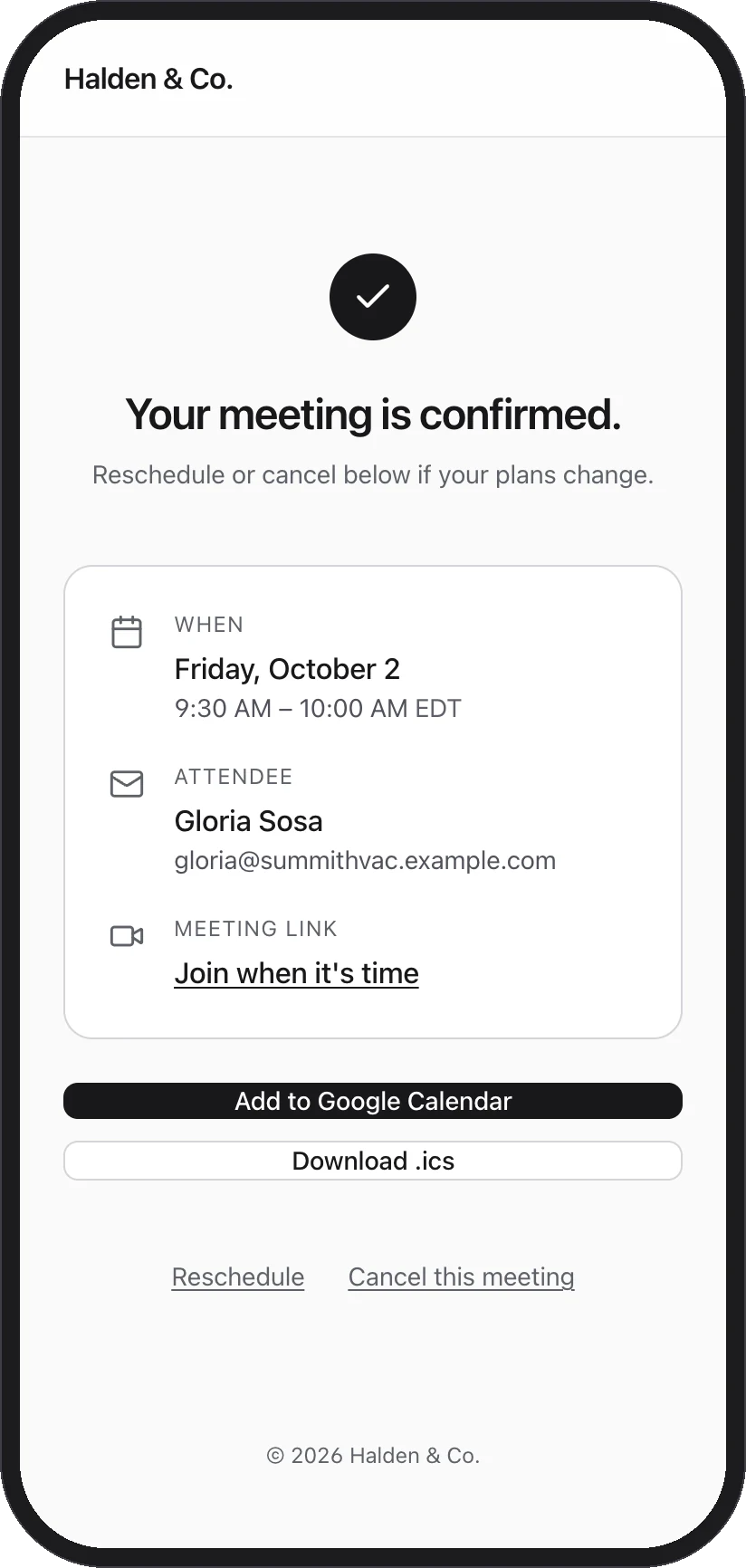
Fig. 02 What Gloria sees the second she confirms.
If she ticks the box when she books, AMW Scheduler texts her a reminder before the call, with the join link.
03 — Your day
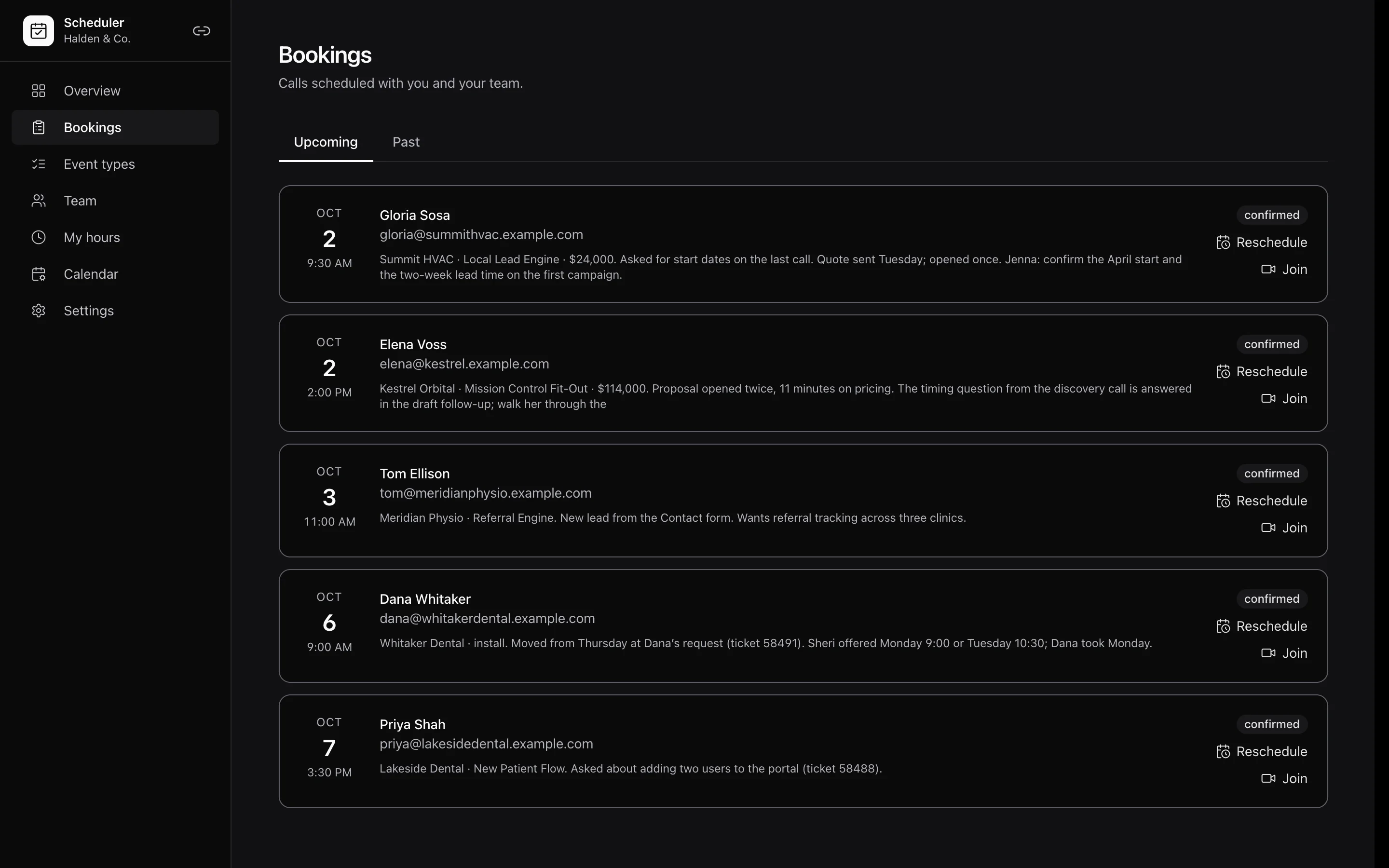
AMW Scheduler shows you every call in your week, and what you need to know before each one. Each row shows the customer, the time and the deal’s value. Jenna writes your prep notes from what’s already happened with that customer. She might mention the quote they opened, a question from your last call, or the support ticket that changed their install date.
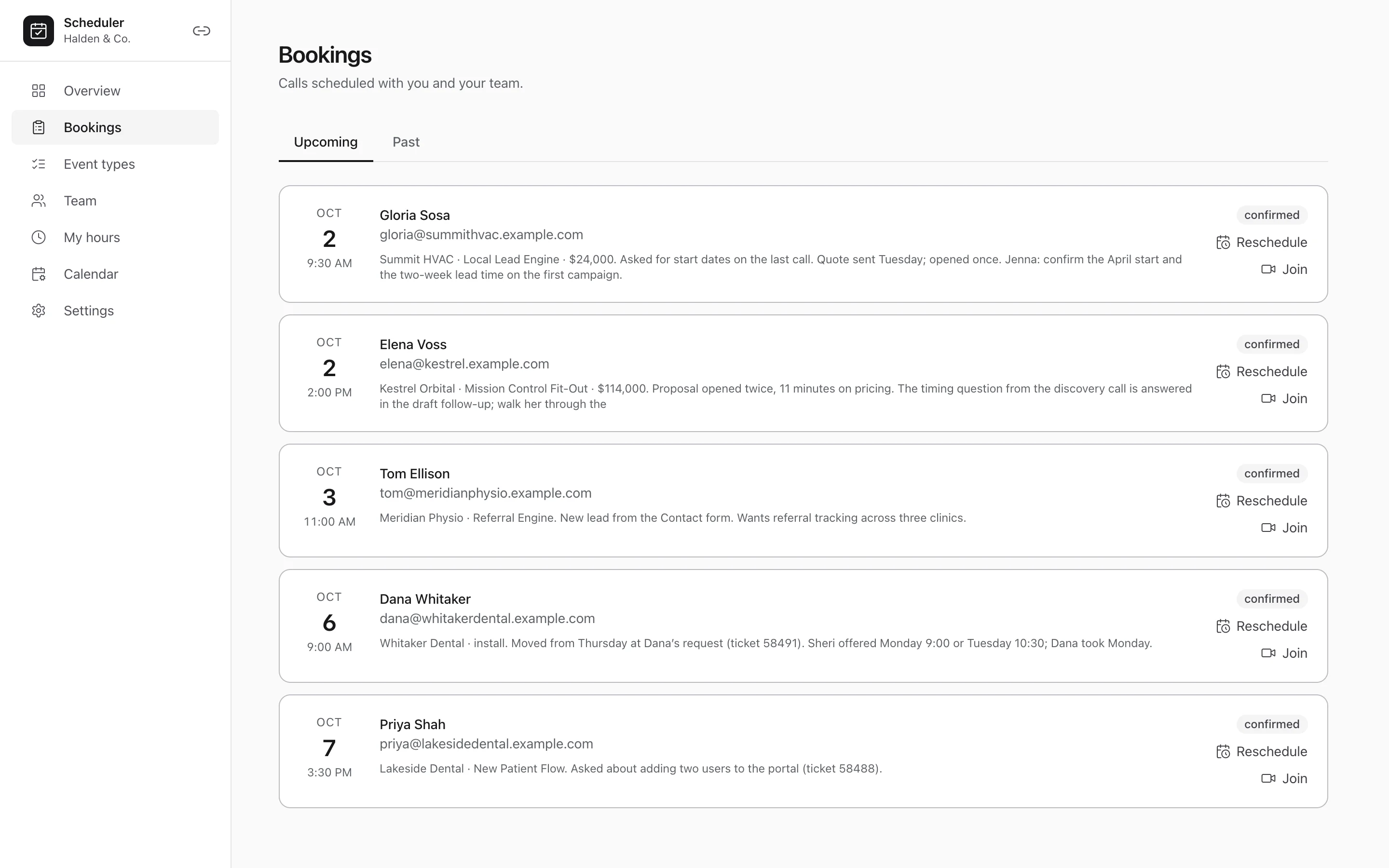
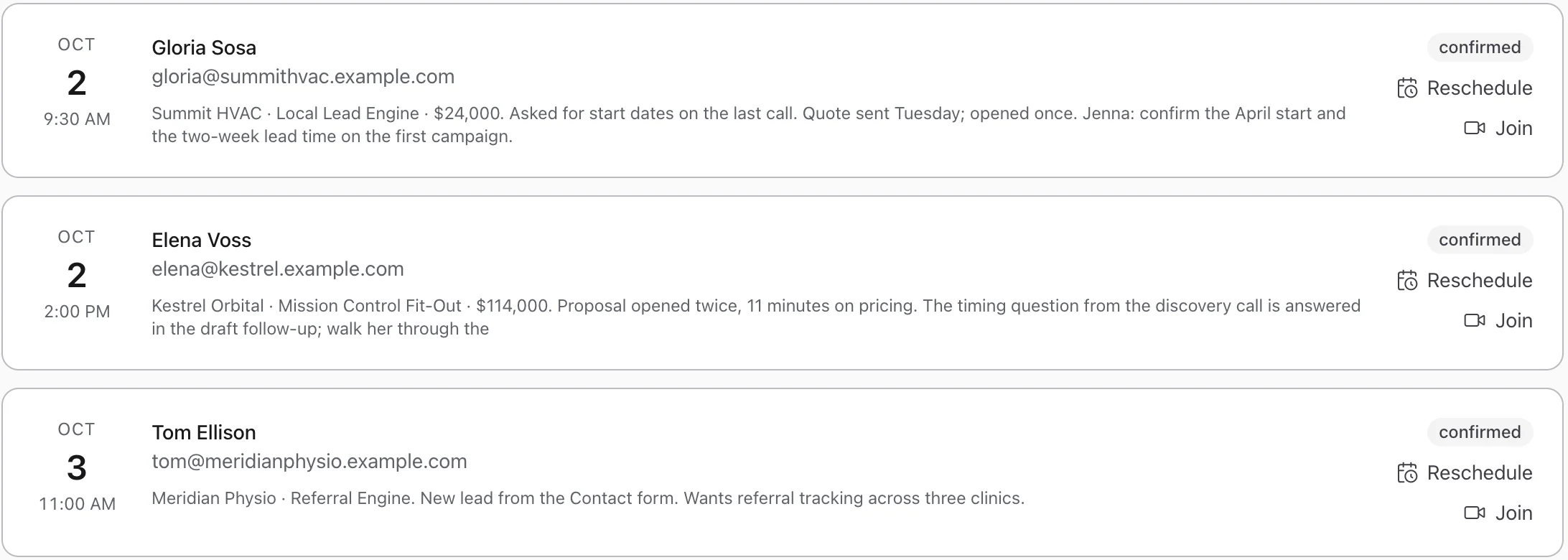
Fig. 03 Nina’s week: five calls, each with prep notes.
You can join or reschedule a call from its row in the list. When you reschedule, the new time shows in AMW CRM and in the customer’s AMW ClientHub portal.
04 — In motion
Watch a customer book a call in AMW Scheduler, start to finish, in under a minute. You’ll see a customer pick a time. Then the call shows up in AMW CRM, and the reminder goes out by text.
 0:50
0:50
05 — The rest of the Suite
Every call booked in AMW Scheduler shows up in AMW CRM, AMW Helpdesk and AMW ClientHub. When you open the call, you see the customer’s deal, their support tickets and their files in the same place.
AI CRM
Jenna adds each booking to the call list she gives you each morning.
AI Helpdesk
When a customer writes in, Sheri’s reply offers your open times, and the call they pick shows up in AMW CRM.
ClientHub
Your customer sees their next call on the calendar in their AMW ClientHub portal.
Proposals
When a customer books a follow-up call, AMW Scheduler puts it on the same deal as your proposal.
Funnels
A form on your website adds new leads to AMW CRM, and any call they book shows up beside their details.
Attribution
You can see which ads brought in the customers who book calls.
06 — Plans
AMW Scheduler is included in every AMW Suite plan, so you pick the plan that fits your team size. Start this month, and our team moves you over from the tools you use today, at no extra cost.
Team· up to 5 users
$279/mo
Billed yearly at $3,348
- AMW Scheduler with booking links
- AMW CRM for calling, texting and email
- AMW Proposals with e-signatures
- AMW Helpdesk
- AMW ClientHub portal for your customers
- Sheri and Jenna, your AI support and sales assistants
- Guided setup and email support
Business· up to 10 usersRecommended
$559/mo
Billed yearly at $6,708
- Everything in Team
- Marketing reports in AMW Attribution, with Aria to explain them
- Higher AI usage limits
- Dedicated onboarding
- Priority support
- Your own branding on what customers see
Every plan· the whole Suite
AMW Scheduler comes with every plan, alongside every other app and the AI team.
You log in once and pay one invoice. You can cancel whenever you like and keep access until the end of the period you’ve paid for.
See every planYou log in once and get one invoice for every AMW app.
Cancel whenever you like. You keep access until the end of the period you’ve paid for.
This month: white-glove migration included.
07 — Questions
What you’ll want to know about AMW Scheduler.
Where do I see a booking once a customer makes it?
You’ll find it in AMW CRM, with the customer’s other details. You see the time, the note they wrote and the join link. Jenna also adds the call to the host’s list.
Do customers get a reminder?
Yes. If they tick the box when they book, AMW Scheduler texts them a reminder with the join link before the call.
Can a customer reschedule?
Yes. The confirmation has a reschedule link. When they pick a new time, it replaces the old one in AMW CRM.
Does it work with my calendar?
Yes. We connect your calendar with you on a call. After that, your booking page shows only the times you’re free.
What happens on the free migration call?
We look at the tools you pay for today and show you AMW Suite set up for a business like yours. Then we map out your move and recommend a plan. It takes twenty minutes, and it’s free.
Can I cancel?
Yes, at any time. You keep access until the end of the period you’ve paid for.
AMW Scheduler
Book a free call and watch your customers book theirs in AMW Suite.
In twenty minutes, you’ll see AMW Suite set up for a business like yours. We’ll look at the tools you use today and map out your move, then recommend a plan. Pick a time that suits you.