

 Dubsado
AMW Suite · ClientHub
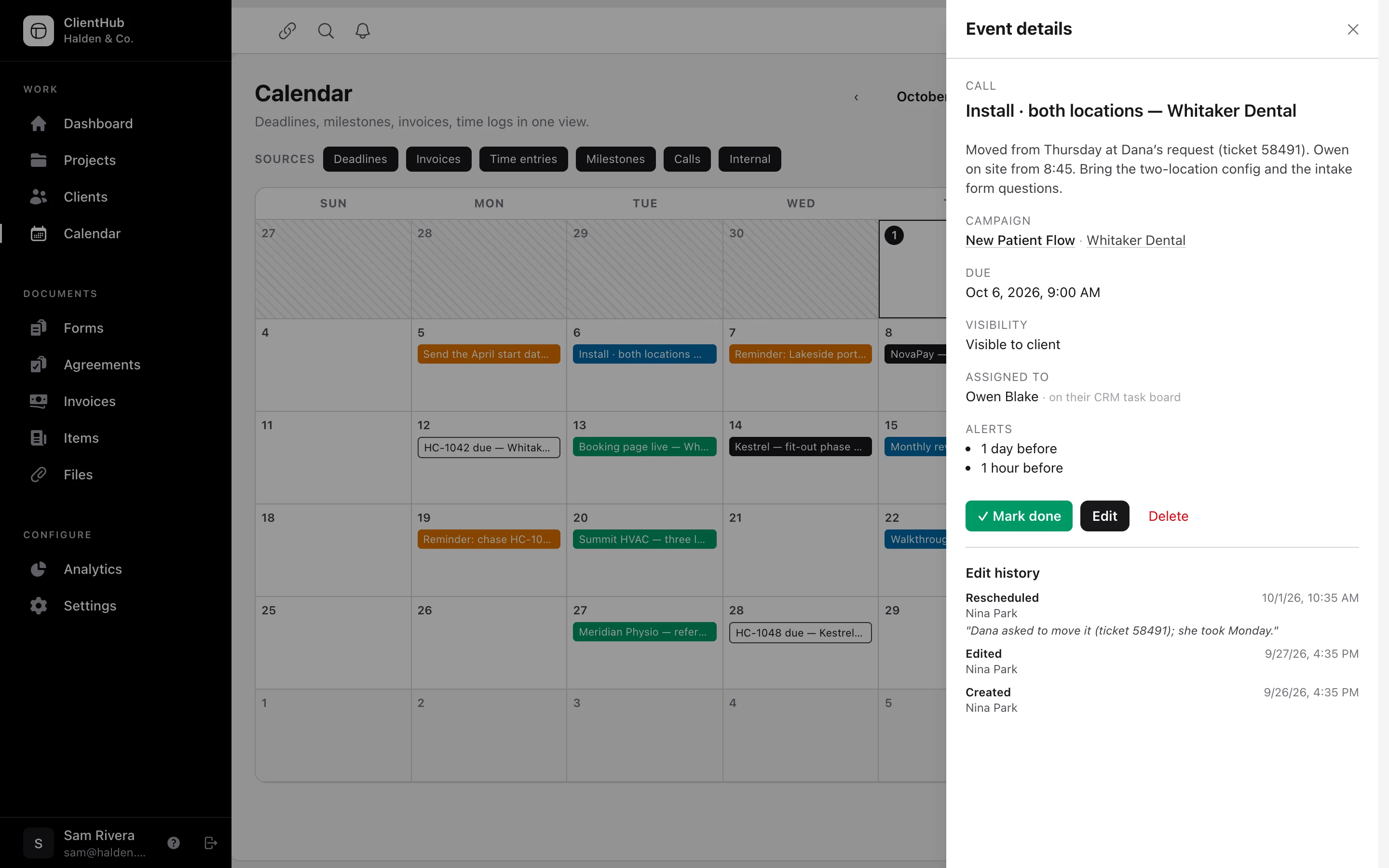
With AMW ClientHub, you put every project date on one calendar, so your team and your customer see the same dates. Put every deadline, call and reminder on one calendar. Assign each one to a person, and it shows up on their task board in AMW CRM. Your customer sees the dates you share in their portal, with a reminder before anything you need from them. Book the free 20-minute call and we’ll plan the move with you.
Included in every plan, from $279/mo billed yearly
Start this month and our team moves you over from your current tools, on every plan.
Powered by top AI models


AMW ClientHub replaces the client portal and project calendar you use in Dubsado, HoneyBook or Bonsai.
Your team plans every deadline, call and reminder on one calendar. Your customer gets a portal that shows the dates you share with them.
Dubsado HoneyBook
 Bonsai
01 — On Owen’s board
When you assign a task to Owen in AMW ClientHub, it shows up on his task board in AMW CRM. Assign the Whitaker install to Owen on the calendar. It shows up in his In Progress column in AMW CRM, with the site survey ahead of it. Above the columns, you can see how much work Nina, Owen and Sam each have before you assign anything else. You hand out work in one place, and each person works from their own board.
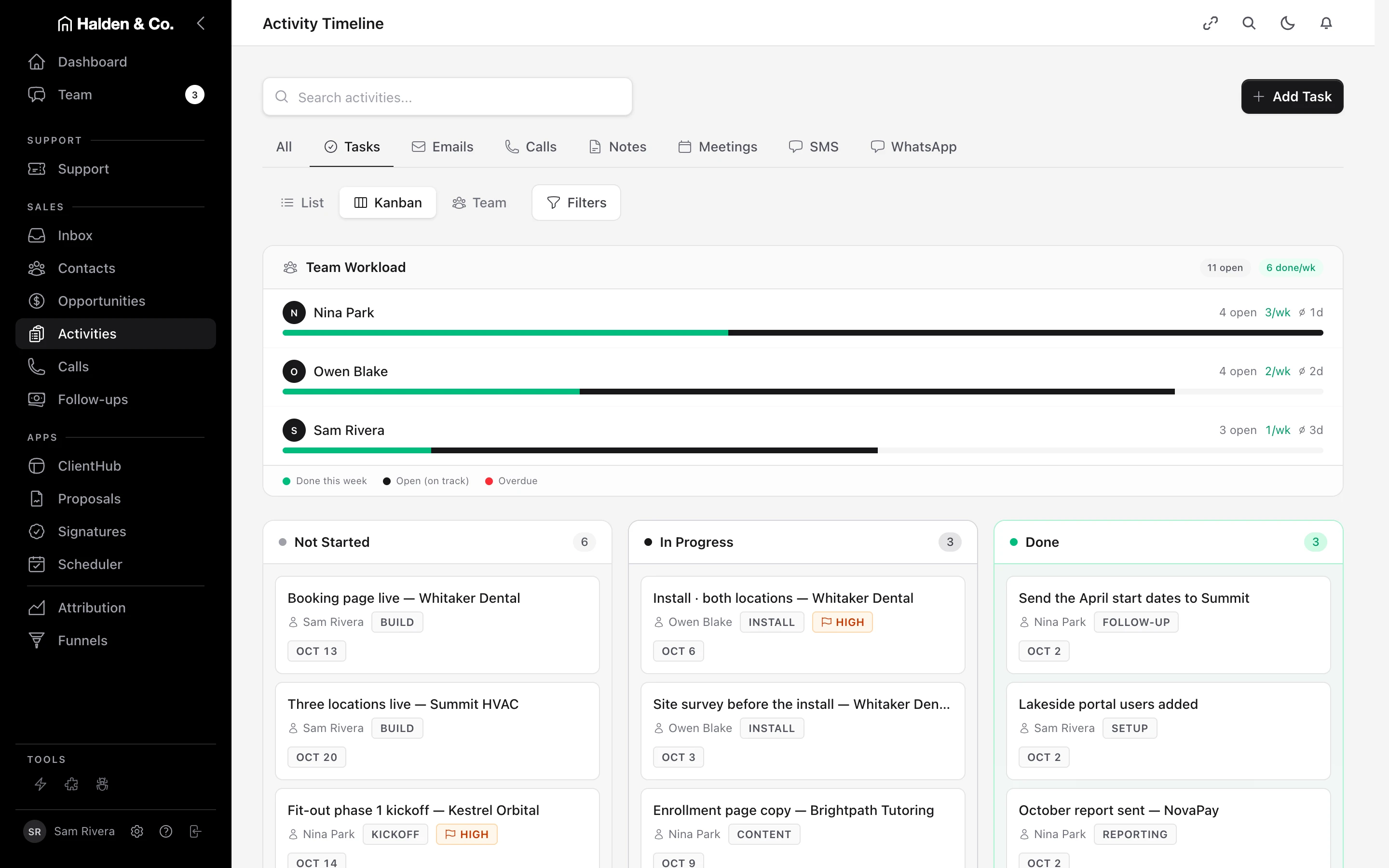
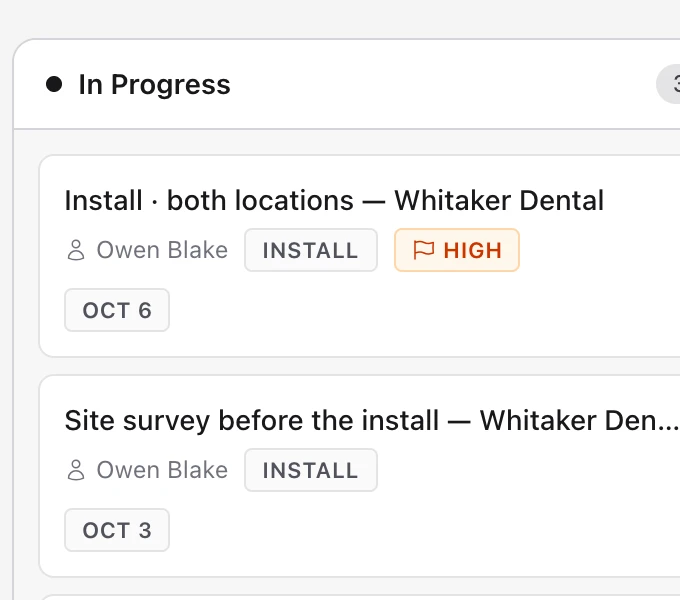
Fig. 01 Owen’s board in AMW CRM, the morning after.
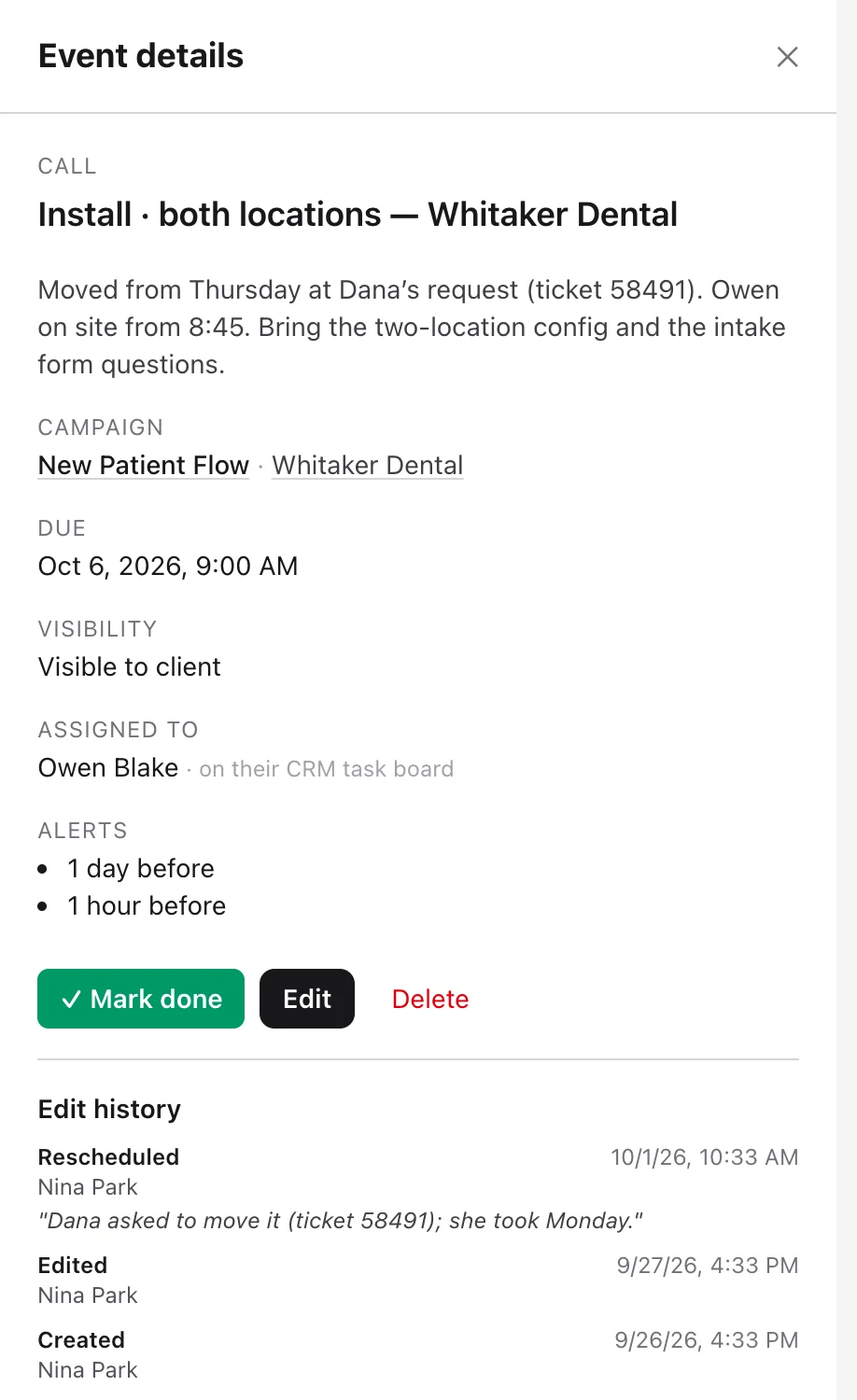
Every task on the calendar is also on one person’s board. Move the date on the calendar, and AMW CRM moves it on their board too.
02 — Dana’s list
AMW ClientHub gives your customer a to-do list in the portal, with a reminder before each due date. Some of your dates need something from Dana. Those go on her list in the portal: right now that’s the intake form due today, the floor plans due Friday, the agreement and the invoice. She gets a reminder before each one, so the form, the plans, the signature and the payment reach you on time.
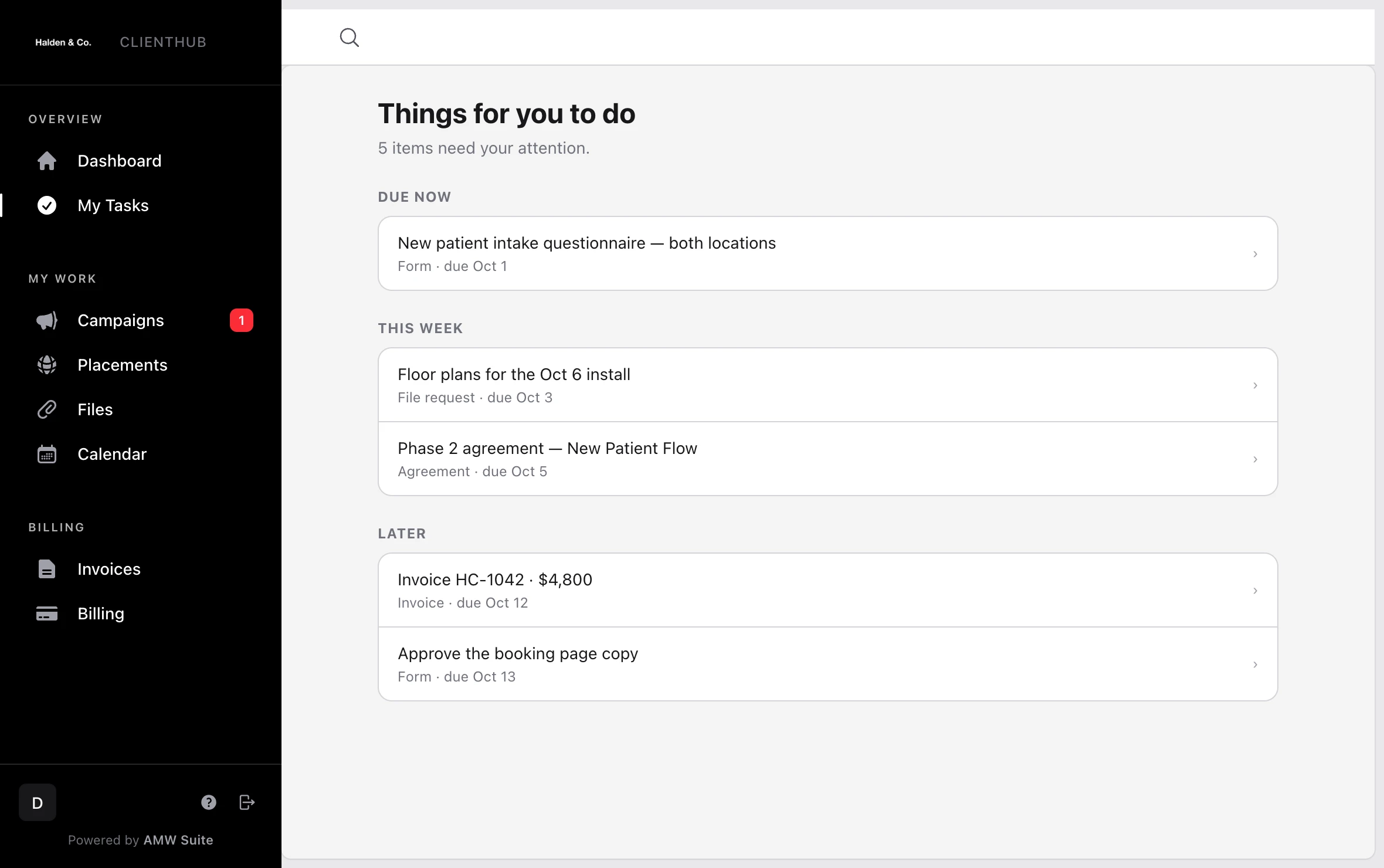
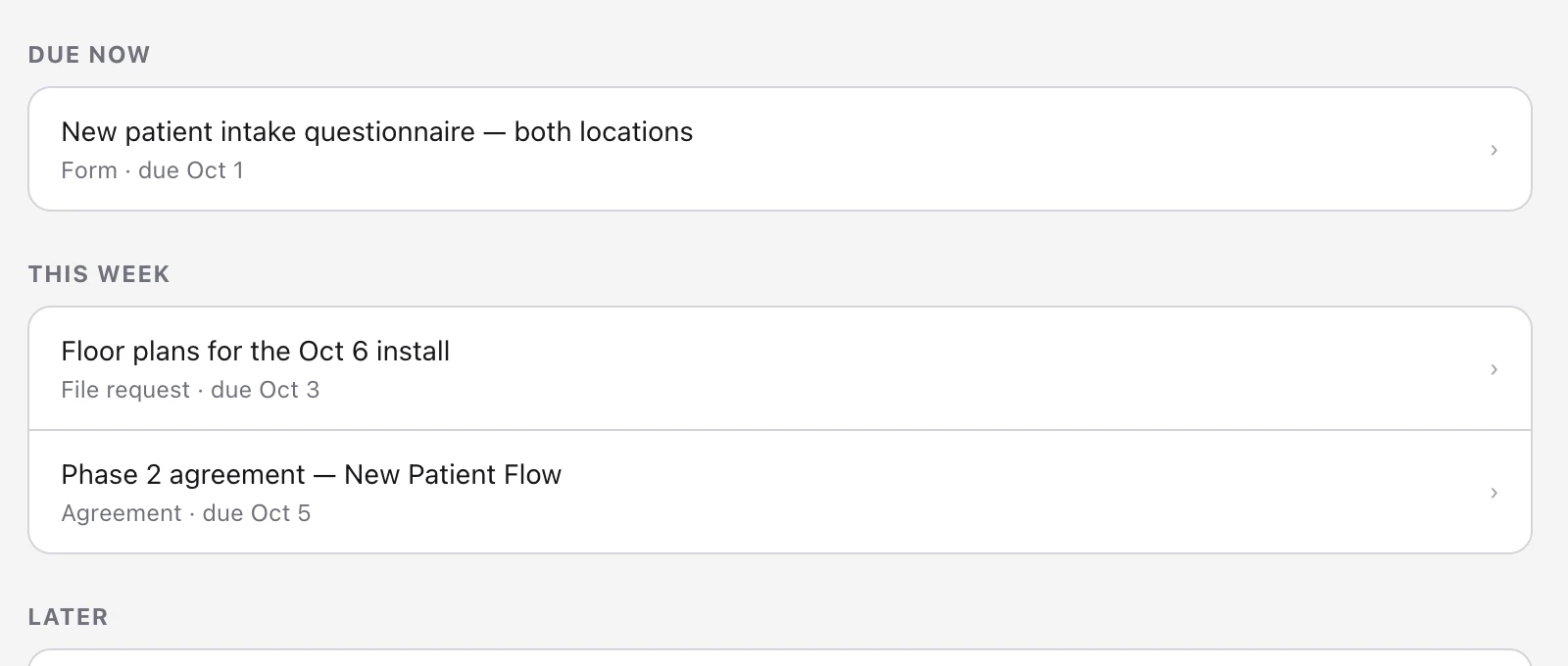
Fig. 02 Things for Dana to do, in her Whitaker Dental portal.
Each of the five items comes from a date on your calendar. Dana clicks one and completes it in the portal: she fills in the form, uploads the file, signs or pays.
03 — Answered in the portal
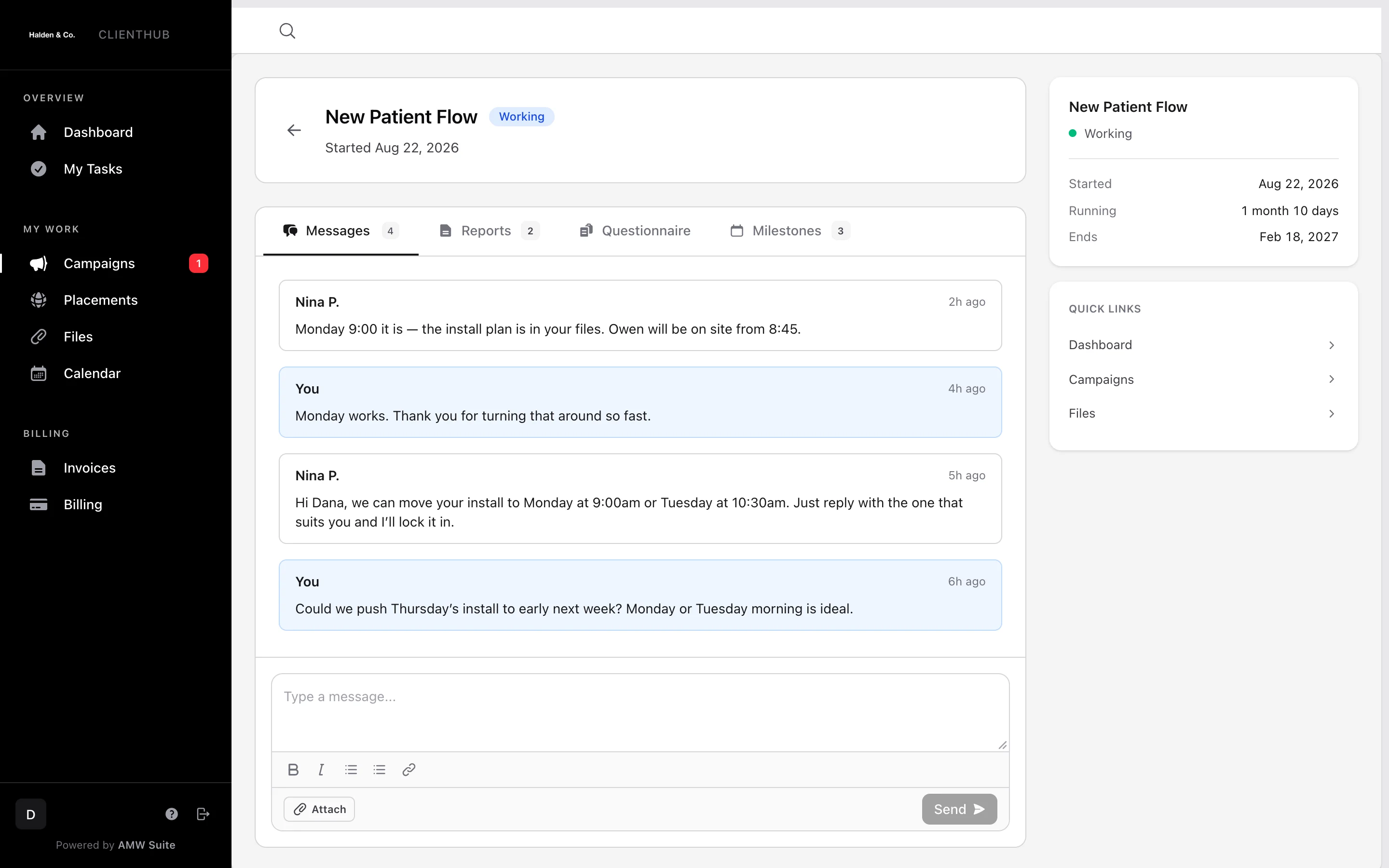
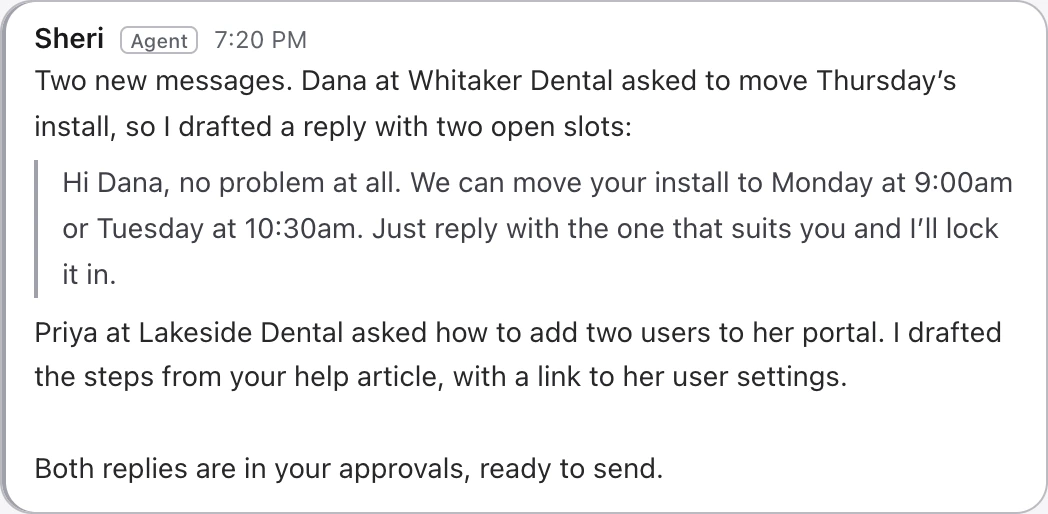
When your customer messages you in AMW ClientHub, Sheri drafts a reply you can send. Dana sends a message from her portal asking to move Thursday’s install. Sheri checks Whitaker Dental’s history and your schedule, then drafts a reply with the two open slots. Nina sends it and moves the install on the calendar, and Dana sees the new date straight away.
SheriSupport · Every plan
ReadsThe message, the customer’s history, your schedule and the earlier replies.
DeliversA reply that offers the two open slots, ready for someone on your team to send.
- Portal message · Dana
Could we push Thursday’s install to early next week?
- Schedule
Monday 9:00 and Tuesday 10:30 are open.
- History · Whitaker Dental
New Patient Flow, month 2 of 6, two locations.
- Portal message · Dana
Could we push Thursday’s install to early next week?
- Schedule
Monday 9:00 and Tuesday 10:30 are open.
- History · Whitaker Dental
New Patient Flow, month 2 of 6, two locations.
Fig. 03 Dana asked to move the install, and Nina answered the same morning.
Nina sends the reply, so Dana sees Nina’s name on it and the new date on her calendar.
04 — In motion
Watch AMW ClientHub keep your team and your customer on the same dates in under a minute. Your team plans the work on one calendar. Your customer follows it in their portal, where the dates you share match yours.
 0:56
0:56
05 — The rest of the Suite
When you change a date in AMW ClientHub, your team and your customer both see the new date. Move a date in AMW ClientHub. Your customer sees the new date in their portal, and your team sees it in AMW Scheduler. Under the customer’s name, you’ll also find the proposal they signed in AMW Proposals, their AMW Helpdesk tickets and their invoices.
AI CRM
A task you assign in AMW ClientHub goes on that person’s task board in AMW CRM, under the customer’s name.
AI Helpdesk
When your customer writes in the portal, AMW Helpdesk opens a ticket and Sheri drafts the reply. Your answer shows up in their portal.
Scheduler
A call your customer books from your AMW Scheduler link shows up on your calendar and in their portal.
Proposals
The proposal your customer signed in AMW Proposals is waiting in their portal, with the invoice that follows it.
Funnels
When someone fills in an AMW Funnels form on your site, they become a customer, ready for their own portal.
Attribution
See which ads brought in the customers who use your portal.
06 — Plans
Every AMW Suite plan gives you AMW ClientHub’s customer portal and shared calendar. Choose the plan that fits the size of your team. Start this month and our team moves you over from your current tools, included in the price.
Team· up to 5 users
$279/mo
Billed yearly at $3,348
- AMW ClientHub customer portal
- AMW CRM with calling, texting and email
- AMW Proposals with e-sign
- AMW Helpdesk
- AMW Funnels with pop-ups and chat
- Sheri and Jenna
- Guided setup and email support
Business· up to 10 usersRecommended
$559/mo
Billed yearly at $6,708
- Everything in Team
- AMW Attribution, with Aria to explain your marketing
- High-volume AI usage
- Dedicated onboarding
- Priority support
- Your own branding on everything customers see
Every plan· the whole Suite
AMW ClientHub comes with every plan, alongside every other app and the AI team.
You log in once and pay one invoice. You can cancel whenever you like and keep access until the end of the period you’ve paid for.
See every planYou log in once and get one invoice for every AMW app.
Cancel whenever you like. You keep access until the end of the period you’ve paid for.
This month: white-glove migration included.
07 — Questions
The questions you’re likely to ask about AMW ClientHub, answered.
Who sees a task on the calendar?
Your whole team sees it on the shared calendar. The person you assign also sees it on their task board in AMW CRM, and gets alerts by email and Slack. Your customer sees only the dates you choose to show them, on the calendar in their portal.
What does the customer see?
They see the campaign plan and how far along it is, the next milestone or call, their files, invoices and messages, and their team. Each item comes from what your team already keeps in AMW Suite.
Can customers send files?
Yes. A file your customer sends from the portal is kept with the campaign, and your team sees it under the customer’s name.
Can they add their coworkers?
Yes. A customer can invite coworkers to the portal, each with their own login.
Can the portal carry our branding?
Yes, on the Business plan. Every page your customer sees carries your logo and your colours.
What happens on the free migration call?
We look at the tools you use today and show you AMW Suite running a business like yours. Then we plan your move and recommend a plan. The call takes twenty minutes and it’s free.
Can I leave?
You can cancel whenever you like, and you keep access until the end of the period you’ve paid for.
AMW ClientHub
Book a call and see every project on one calendar in AMW Suite.
Book a free 20-minute call. We’ll look at the tools you use today, show you AMW Suite running a business like yours, and plan your move with you.