

 HubSpot
AMW Suite
Run your whole business from one screen. Your CRM, client portal, proposals and support in one place, with an AI team that drafts the routine work for you to approve.
Your CRM, client portal, proposals and support in one place, with an AI team that drafts the routine work for you to approve.
Start this month and our team moves you over from your current tools, on every plan.
Jenna is looking at your open deals
Powered by top AI models


We used all of these tools, then built AMW Suite to do their jobs better.
You get one login, one bill, and everything about each customer in one place.
HubSpot Salesforce
 Pipedrive
 Close
Close Zendesk
 Intercom
 Aircall
 OpenPhone
 Calendly
 PandaDoc
 DocuSign
 ClickFunnels
 Typeform
 Perspective
 Notion
 Basecamp
 Hyros
Hyros Google Analytics
Everything it does
Everything your business runs on, in one place. Twelve things you would otherwise buy, learn and connect separately.
Calling
Call leads and customers from the Suite. Every conversation is logged.
SMS and WhatsApp
Text customers and reach them on WhatsApp. Every reply lands on that customer’s record.
Send and receive email in AMW Suite, and every message stays with the right customer.
Sequences
Multi-step follow-up that runs on its own until the deal moves.
Pipelines
Every deal from first touch to close, on a clear board.
Proposals and e-sign
Proposals customers read and sign online in minutes.
Customer portals
A private, branded space for every customer.
Funnels, pop-ups and chat
Capture leads on your site, straight into the CRM.
Helpdesk
Answer support tickets in the same place you sell.
Marketing analytics
See which traffic actually brings you customers. Business plan.
AI agents
Sheri and Jenna prepare the work for your team. Aria joins on Business.
Scheduling
Booking links, reminders and every call on one calendar.
This month’s offer
Our team sets everything up before your first day. Start this month and we move your contacts and files over, set up your account, brief your AI agents and train your people. It’s included on every plan.
Your contacts and files, moved
We bring over every contact, deal, email thread and document.
Your workspace, ready
Pipelines, email accounts and templates are built around how you sell. You check it all before go-live.
Your agents, briefed
They learn your services and your tone first, so their first suggestion already sounds like you.
Your team, onboarded
We walk your people through the Suite, so they are working in it from day one.
This month
White‑glove migration, included.
On every plan, done by our team.
01 — Support
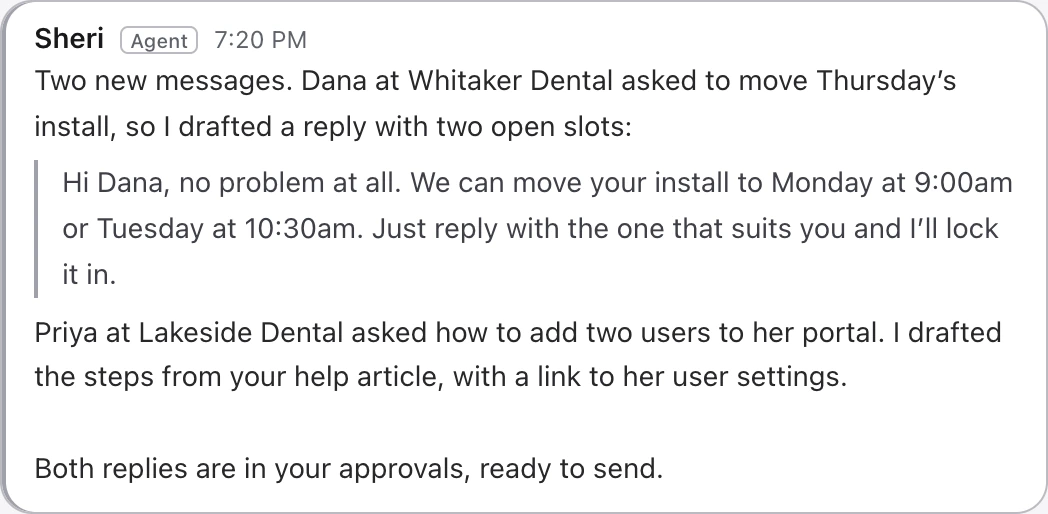
The right reply is one click away. Sheri reads the customer’s history and suggests an answer in your voice. Your team reviews it and sends.
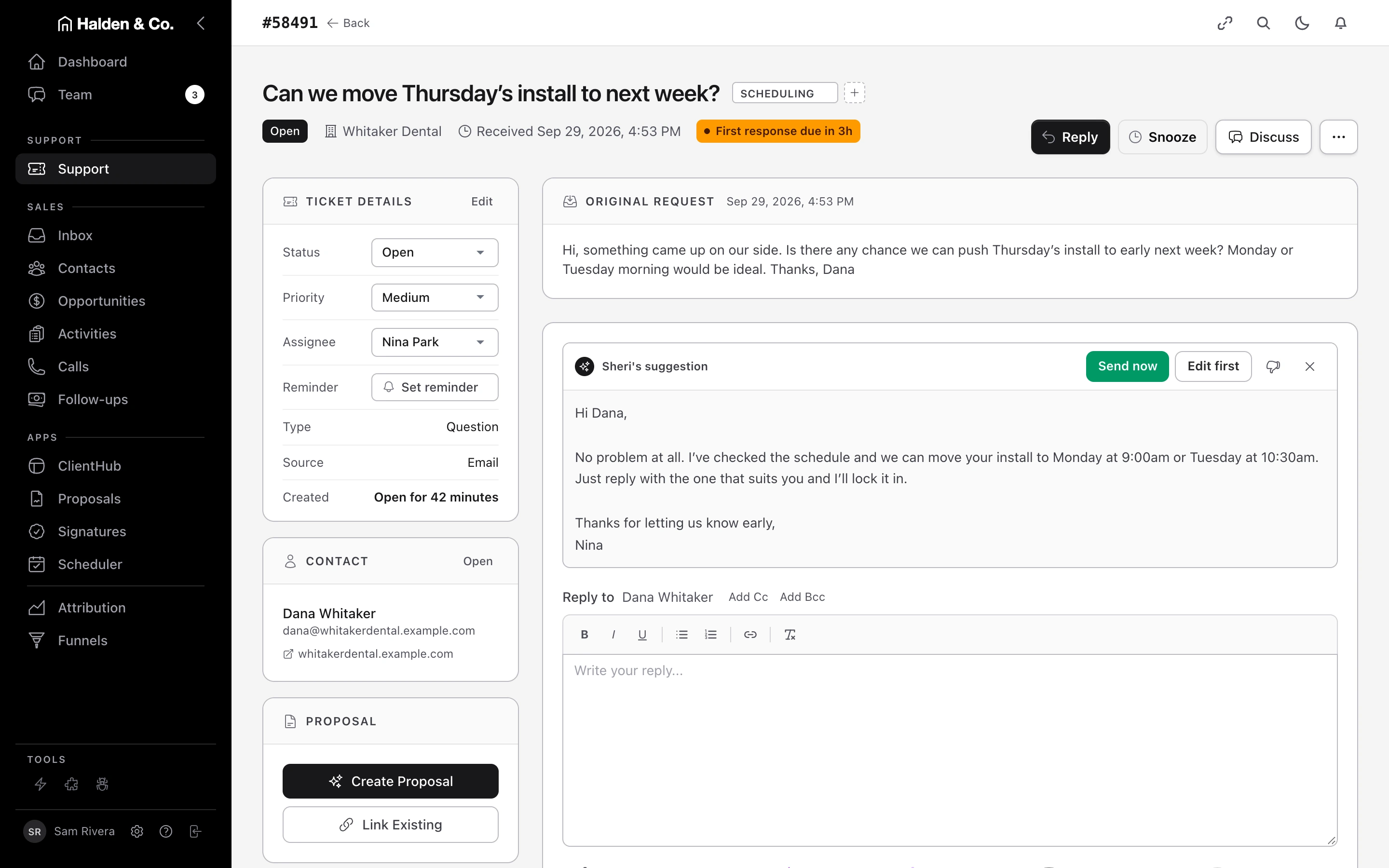
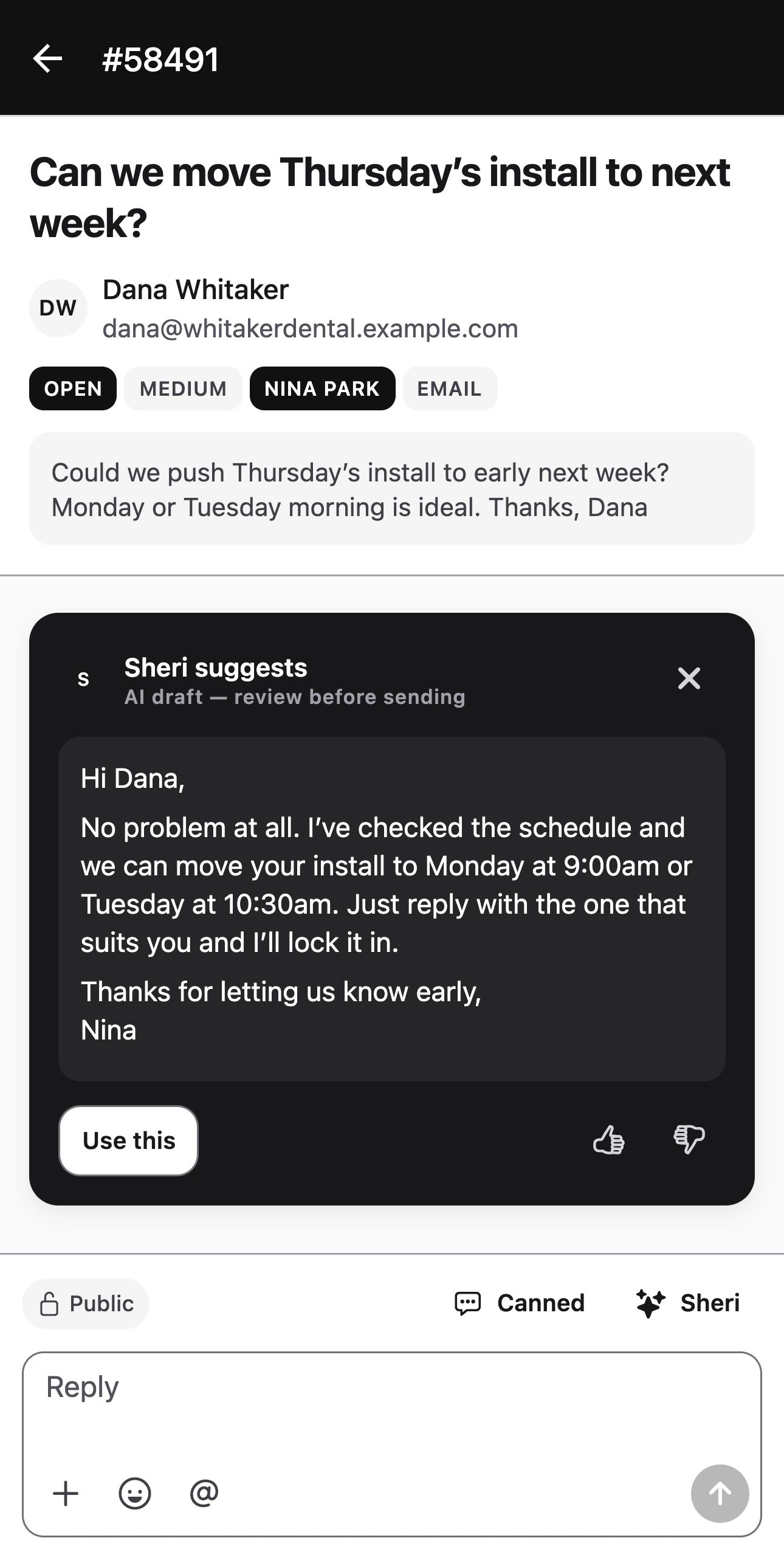
Fig. 01 Dana asks to move Thursday’s install.
Sheri reads Dana’s history first, so the reply fits, and nothing goes out until your team sends it.
02 — Sales
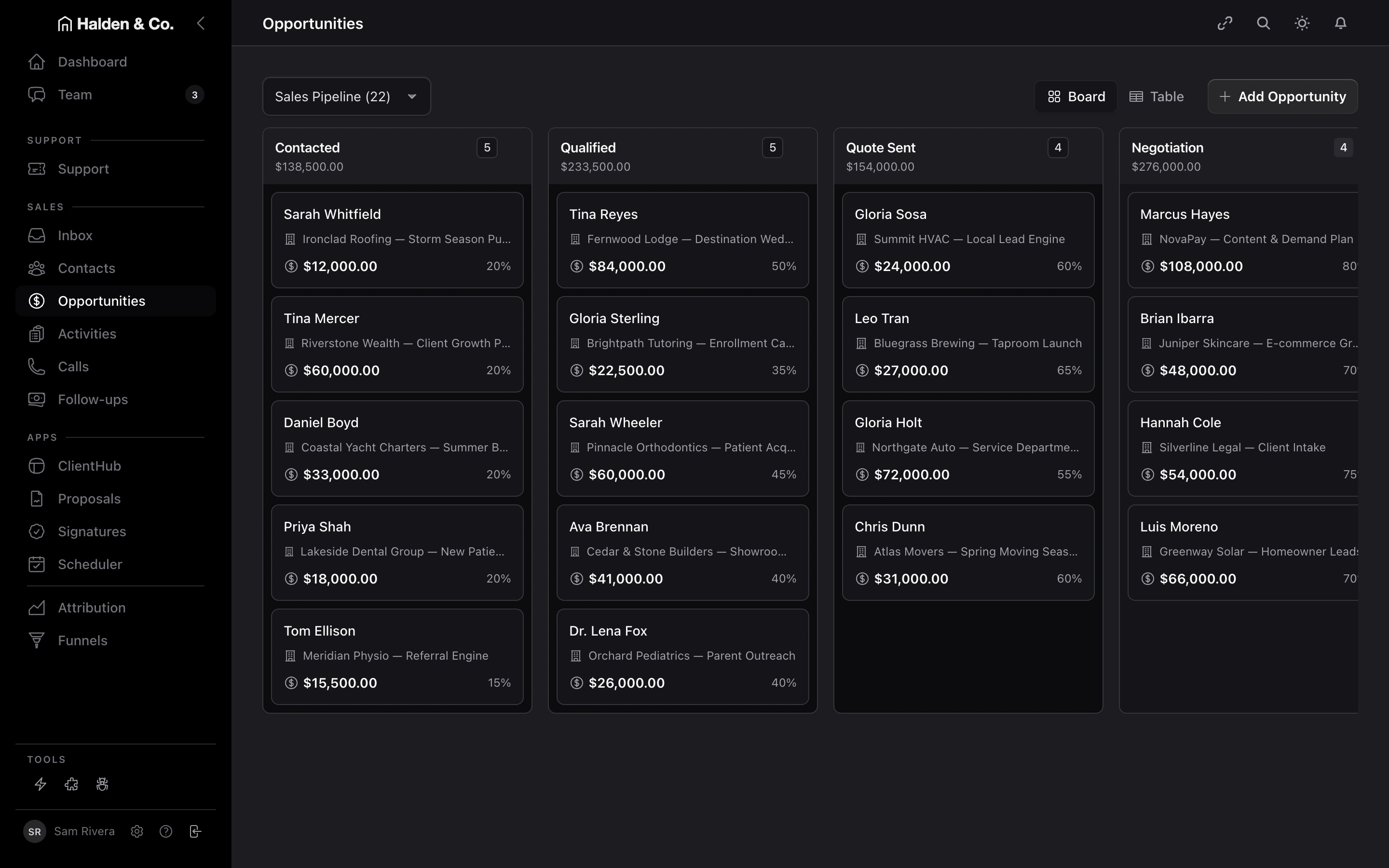
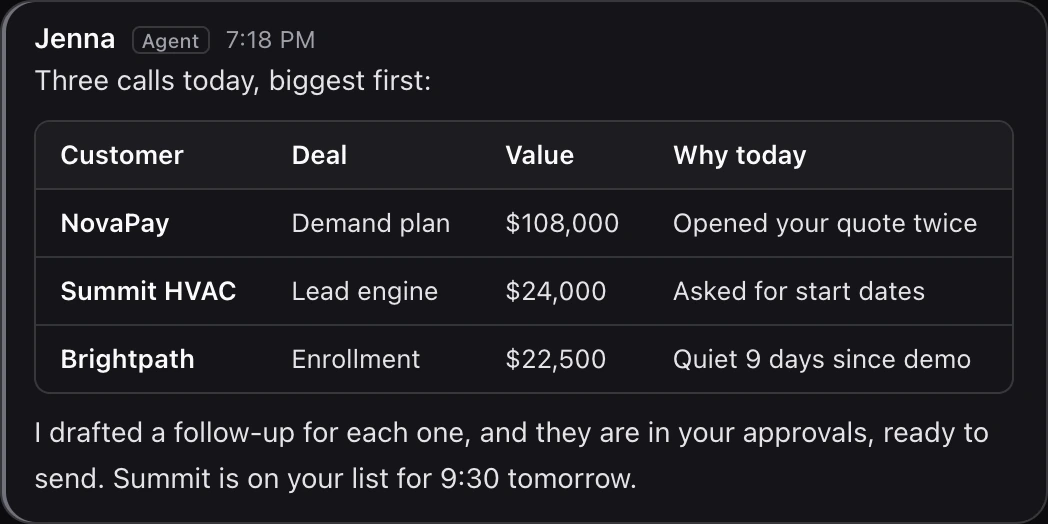
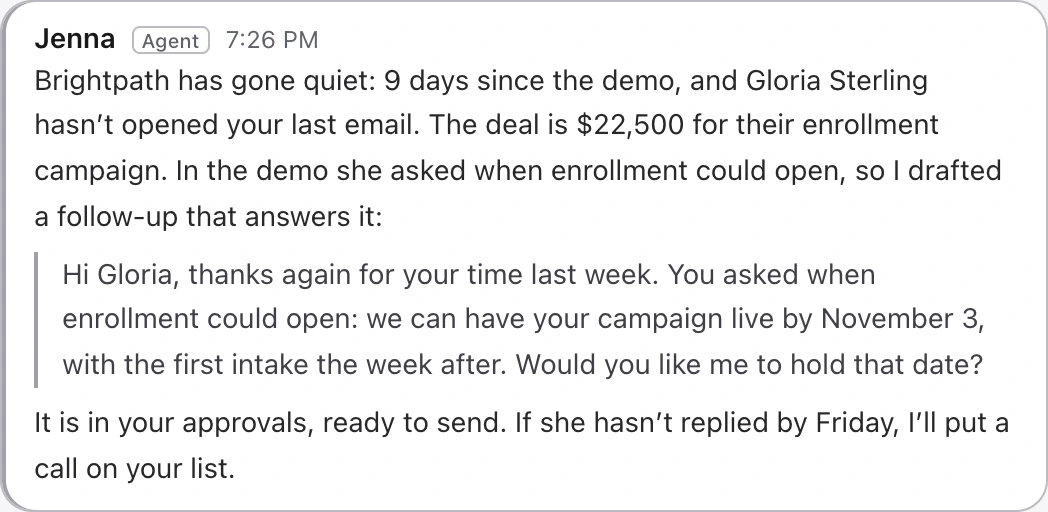
Know who to call today, and why. Ask Jenna and she ranks your deals by value, gives the reason for each, and puts the call on your list.
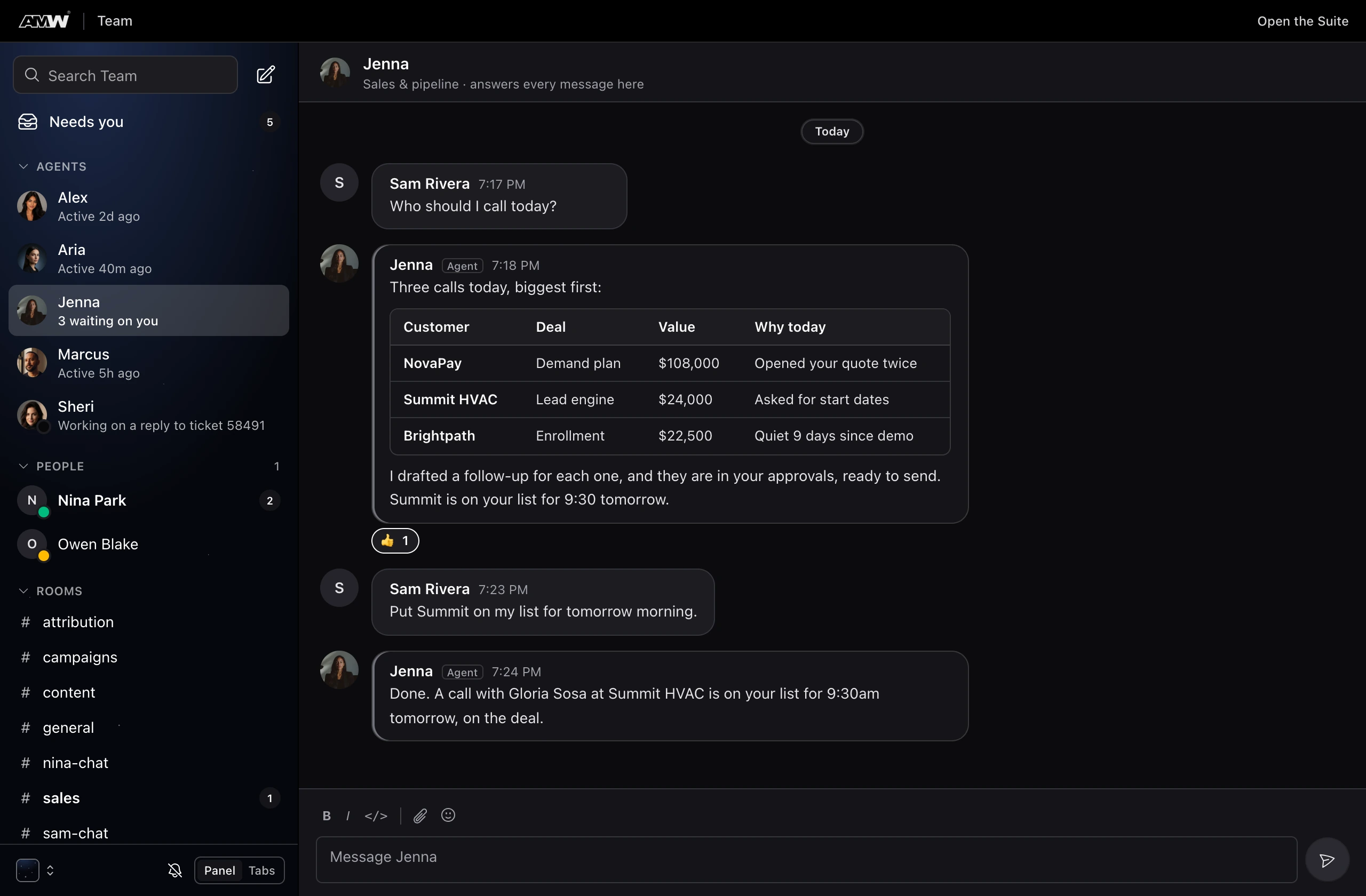
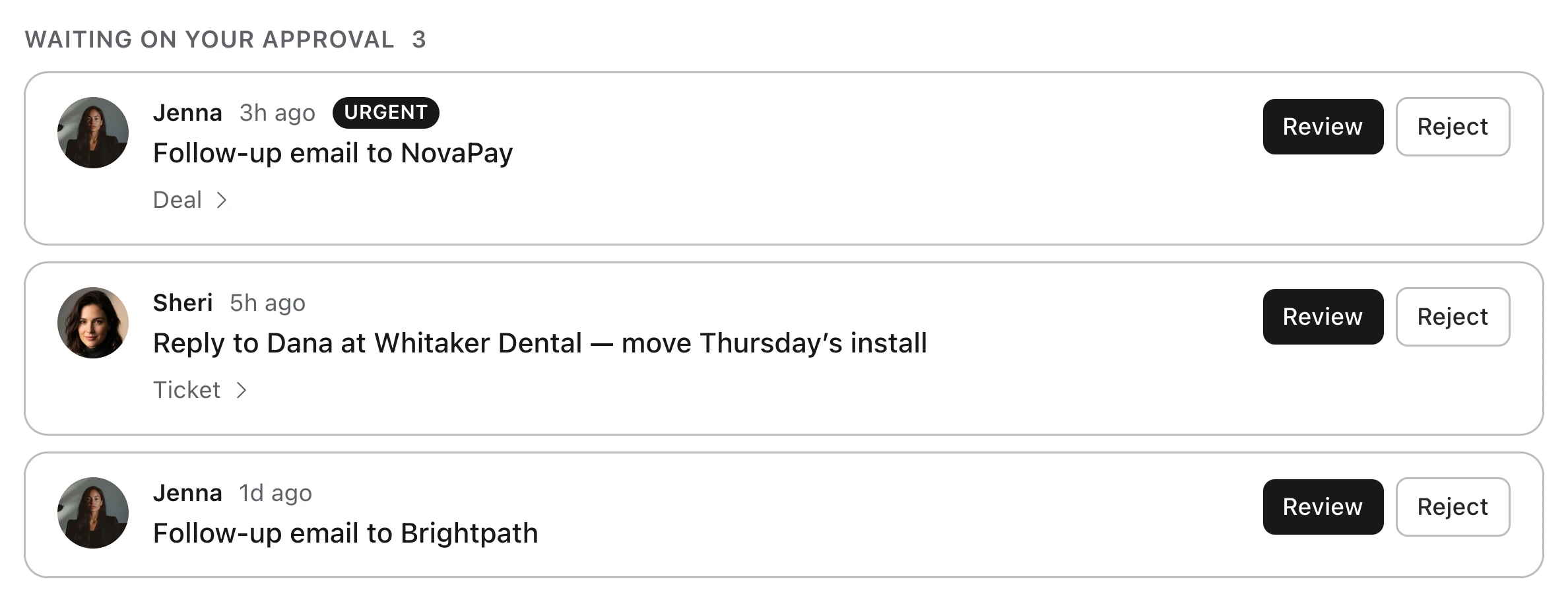
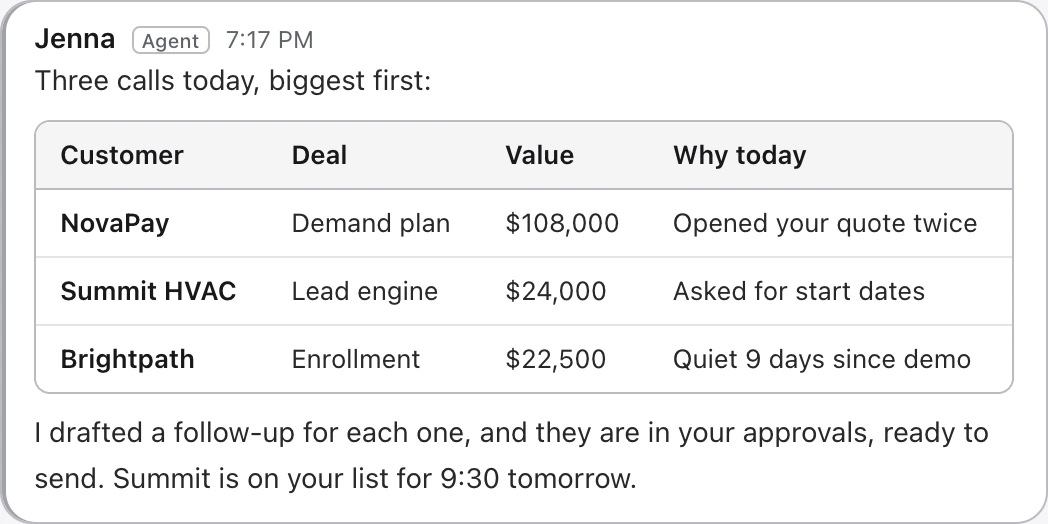
Fig. 02 Follow-ups wait under “Needs you”.
Your agents prepare the work and your people approve it, so customers only see what you signed off.
03 — Proposals
Proposals customers sign in the browser. Send one from the deal, see the moment it’s opened, and follow up while they’re still reading.
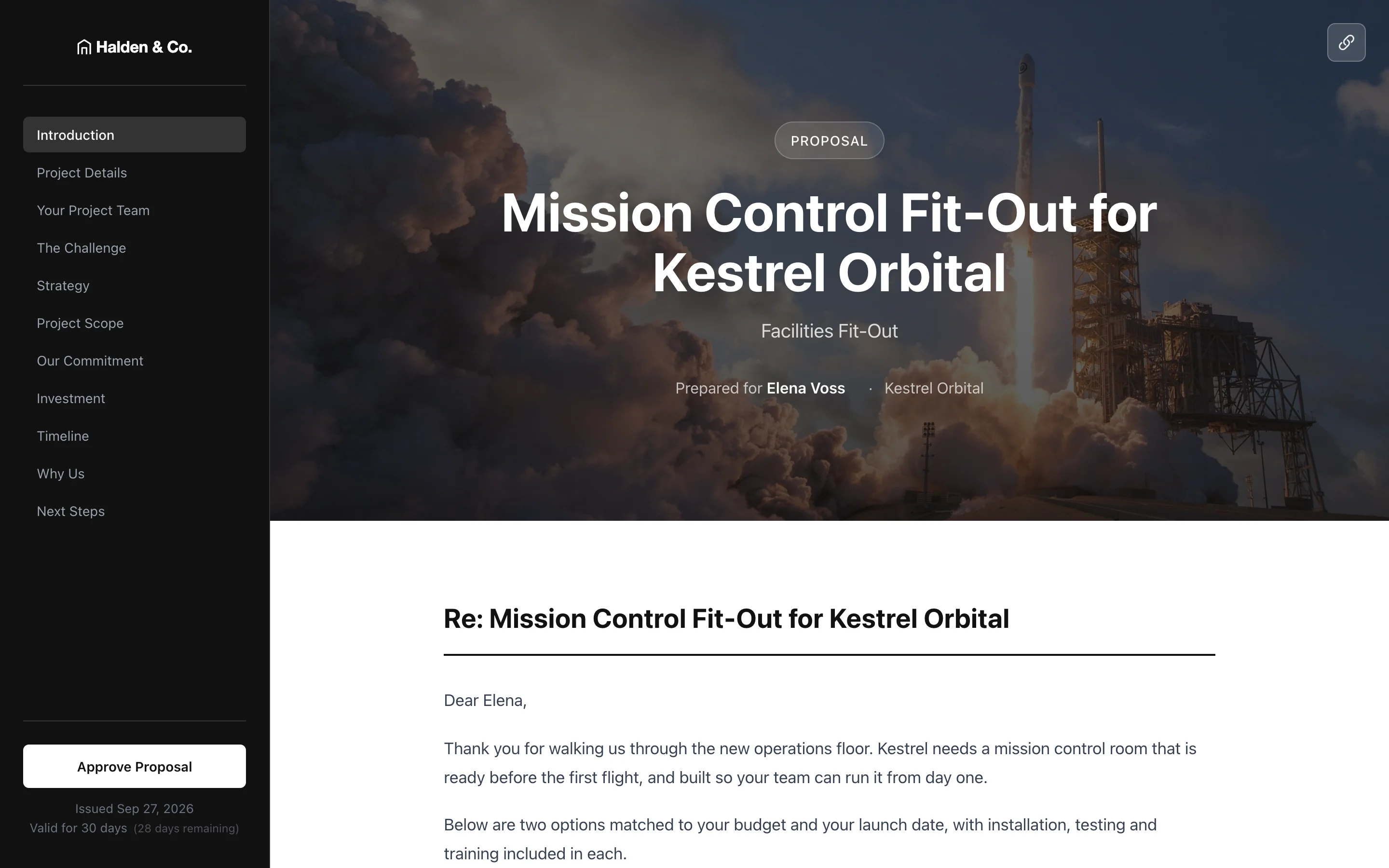

Fig. 03 Kestrel Orbital picks an option and approves it online.
It goes out from the deal, so you see the moment it is opened and can follow up right away.
04 — Your AI team
An AI team that already knows your customers. Each agent works inside your records, so everything it prepares is about your business. Your people decide what goes out.

Sheri
Support · Every planAnswers support messages.
- Reads
- The customer’s past tickets, emails and texts.
- Delivers
- A reply in your voice, ready for your team to send.

Jenna
Sales · Every planWorks your pipeline.
- Reads
- Every deal’s calls, texts, emails and quote opens.
- Delivers
- Who to call today and why, the follow-up drafted, the call booked.

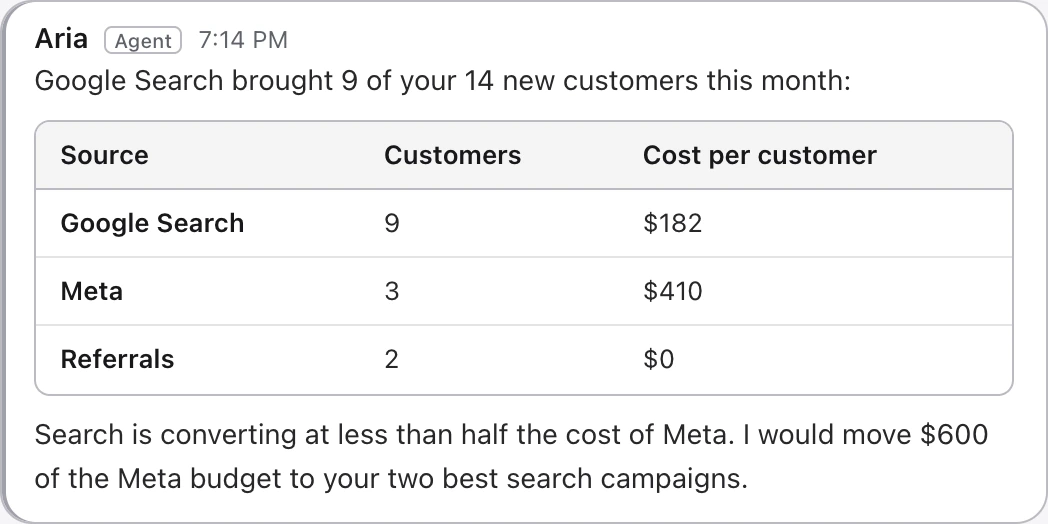
Aria
Growth · Business planReads your marketing.
- Reads
- Ad spend, traffic and which customers each campaign brought.
- Delivers
- What is bringing you customers, and where to move budget.
05 — In motion
See the whole Suite in a minute. Then take it with you on Mac, PC and iPhone.
 1:04
1:04
Powered by top AI models
06 — Apps
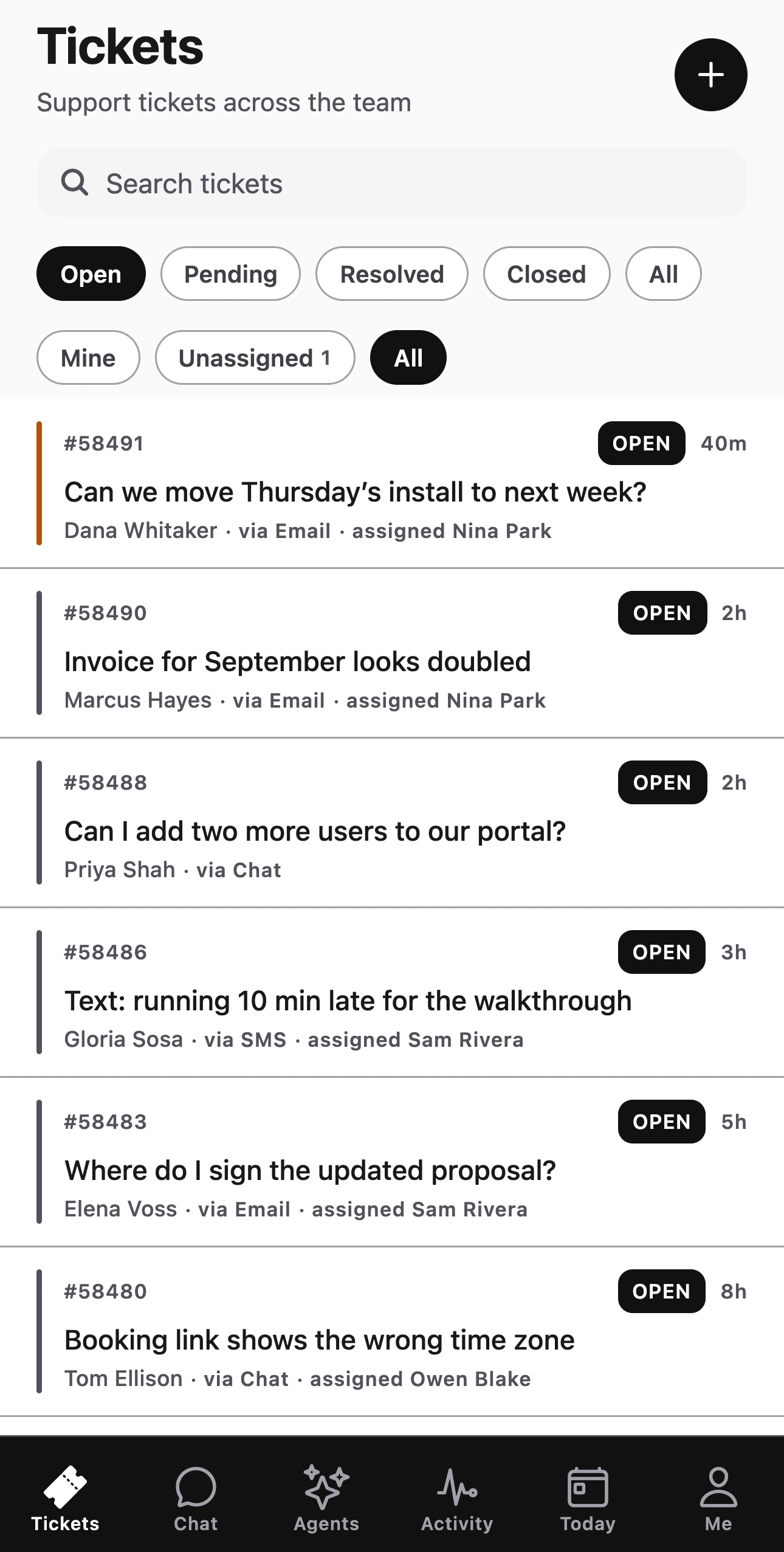
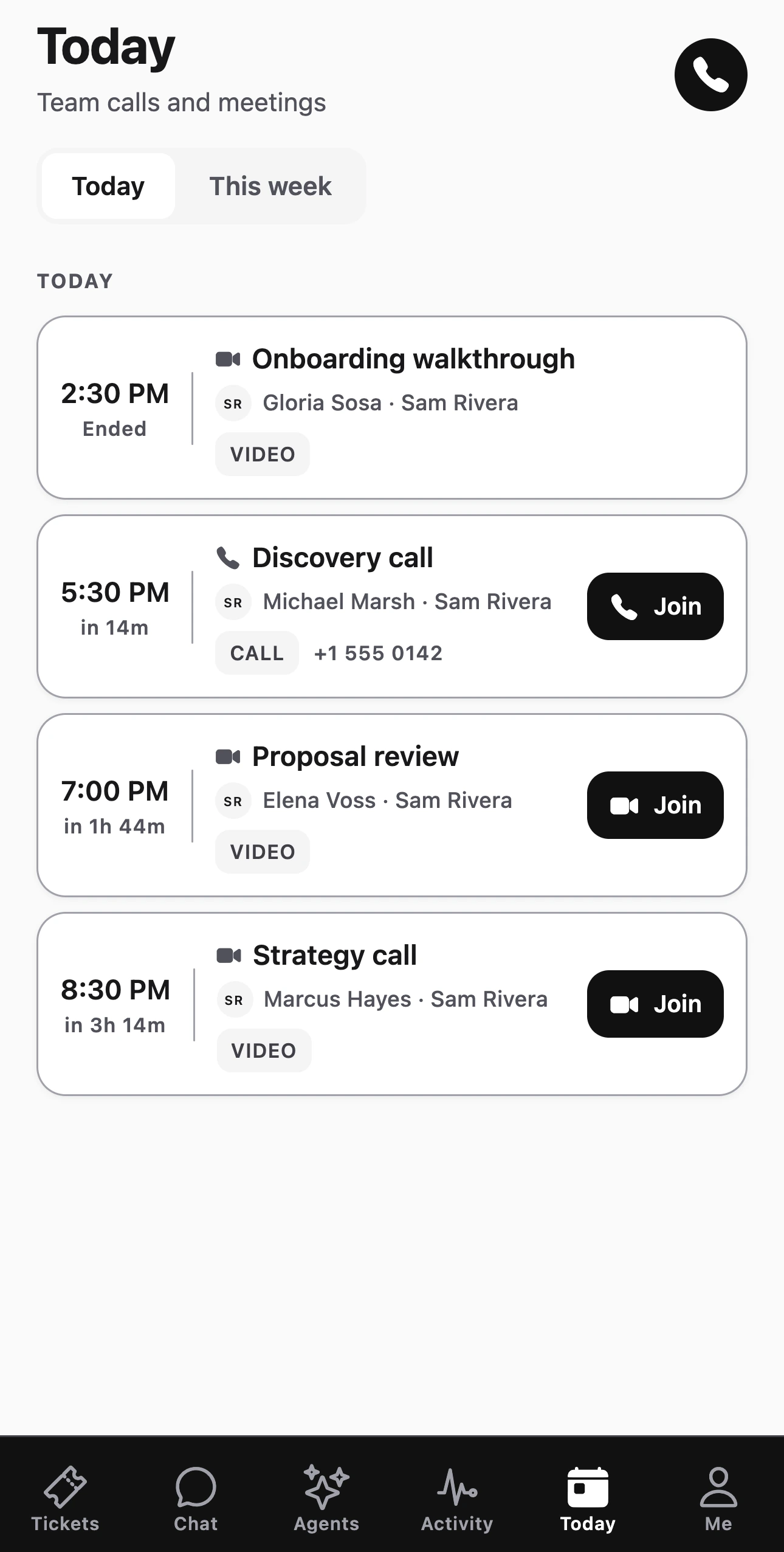
The Suite goes where you go. Answer a ticket, send Sheri’s reply and join your next call from your iPhone. The Mac and Windows apps keep the whole Suite a click away.
Mac·
Windows·
iPhone
Included with every plan
Who it’s for
Built for any business that runs on its customers. If you sell, support and follow up with customers, the Suite fits how you already work.
Clinics and practices
Appointments, reminders, patient questions and follow-ups.
Real estate and property
Leads, viewings, offers, signed agreements and past clients.
Professional firms
Legal, accounting and consulting: intake, proposals and signed engagements.
Product and B2B companies
Pipelines, demos, renewals and support at scale.
07 — Plans
Pick a plan. We handle the move. Start this month and our team moves you over from your current tools, on every plan.
Team
On request
Priced for your team on your demo
- CRM with calling, texting and email
- Helpdesk
- Customer portal
- Quotes and e-sign
- Funnels, pop-ups and chat
- Sheri and Jenna
- Guided setup and email support
BusinessRecommended
On request
Priced for your team on your demo
- Everything in Team
- Marketing analytics, and Aria to read it
- High-volume AI
- Dedicated onboarding
- Priority support
- Your branding for customers
Enterprise· larger teams
Custom
Scoped with you on your demo
- Everything in Business
- More people and higher AI volume
- Connections to your other tools, planned and built by our team
You log in once and get one invoice for every AMW app.
Cancel whenever you like. You keep access until the end of the period you’ve paid for.
This month: white-glove migration included.
08 — Questions
What people ask us before they switch.
What happens to what’s in my current tools?
We import it: contacts, companies, deals, history, templates and documents. You review it before your team starts.
How long does the move take?
Most migrations are done in 48 hours.
Which plan should I pick?
Team fits up to five people. Pick Business when you want to see which advertising brings you customers, or you have up to ten people. We recommend one on the call.
Can I leave?
Cancel anytime. You keep access to the end of your paid term.
AMW Suite
See every app working together in the Suite.
On the demo we look at the tools you run today, walk you through the Suite, map your move and recommend a plan. It takes twenty minutes.